THE COMPLETE WORKBENCH

A studio for the whole Spectrum project.

Native editors for code, pixels and sound. A connected build, runtime and debugger. AI assistance you can review. Choose a tool below to see what it does and how to use it.

RECENT ADDITIONS

More room to make things.

New authoring tools and a more connected 48K / 128K workflow.

01 / macOS

Projects & workbench

Current

A native, document-based workspace that keeps code, assets, build settings and evidence together.

  • Portable, versioned .zxproj packages
  • 48K/128K project templates
  • Movable tabs and explicit split-group closure
  • Quick Open, Command Palette and project search
  • Local History, autosave and interrupted-save recovery
  • Build profiles and persistent Run/Debug configurations
How to use these tools
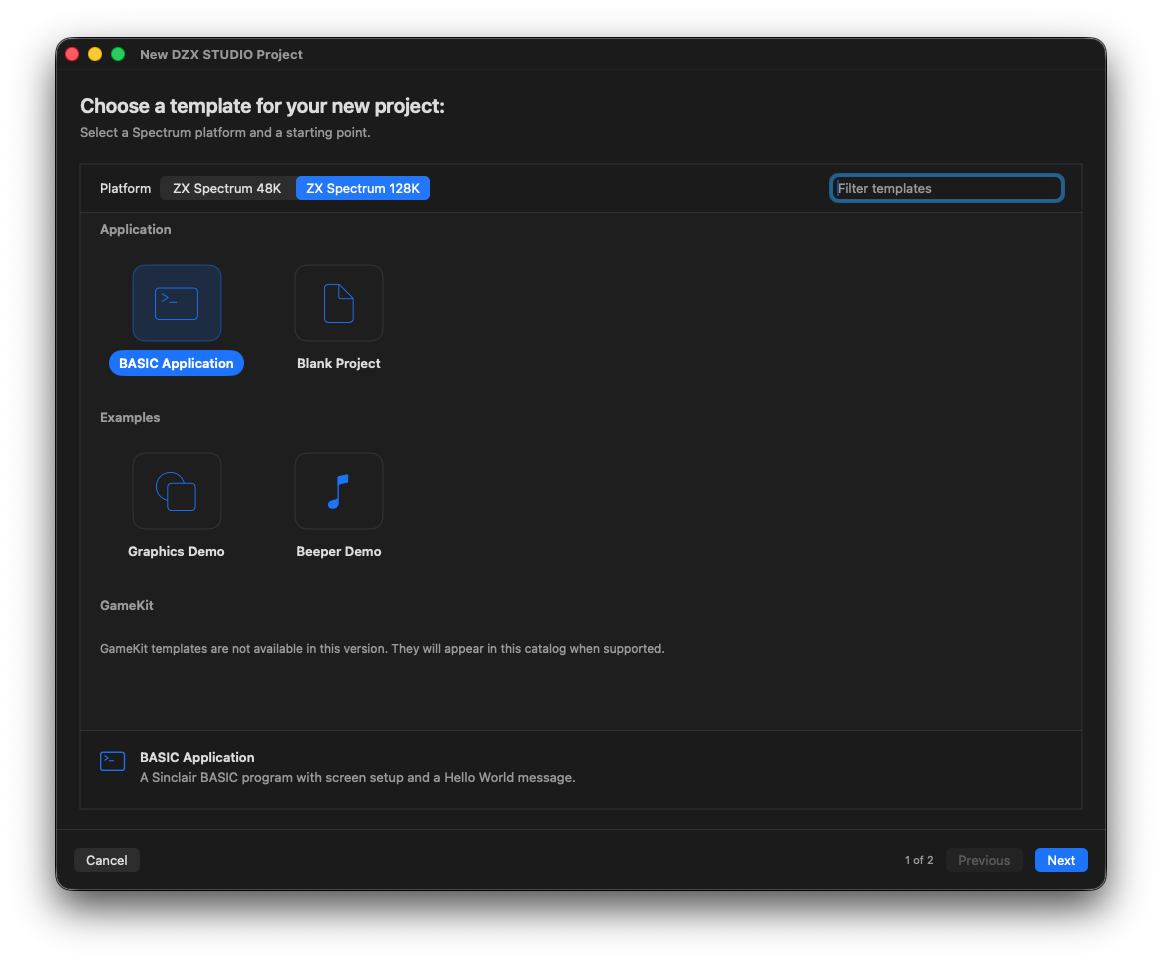
New DZX STUDIO Project window showing target selection and BASIC, blank, graphics and beeper templates.
Start with a machine and a template

Choose a 48K or 128K target, a blank project or an editable example.

02 / 48K + 128K

Sinclair BASIC editor

Current

Write authentic line-numbered BASIC with the navigation, analysis and refactoring expected from a modern IDE.

  • Syntax highlighting, completion and inline diagnostics
  • Go to Definition, Outline and Find References
  • Safe renumber, variable rename and subroutine extraction
  • Target-aware semantic checks and deterministic quick fixes
  • Spectrum GRAPHICS, UDG and embedded colour controls
  • BAS, TAP and standard-speed WAV import
How to use these tools
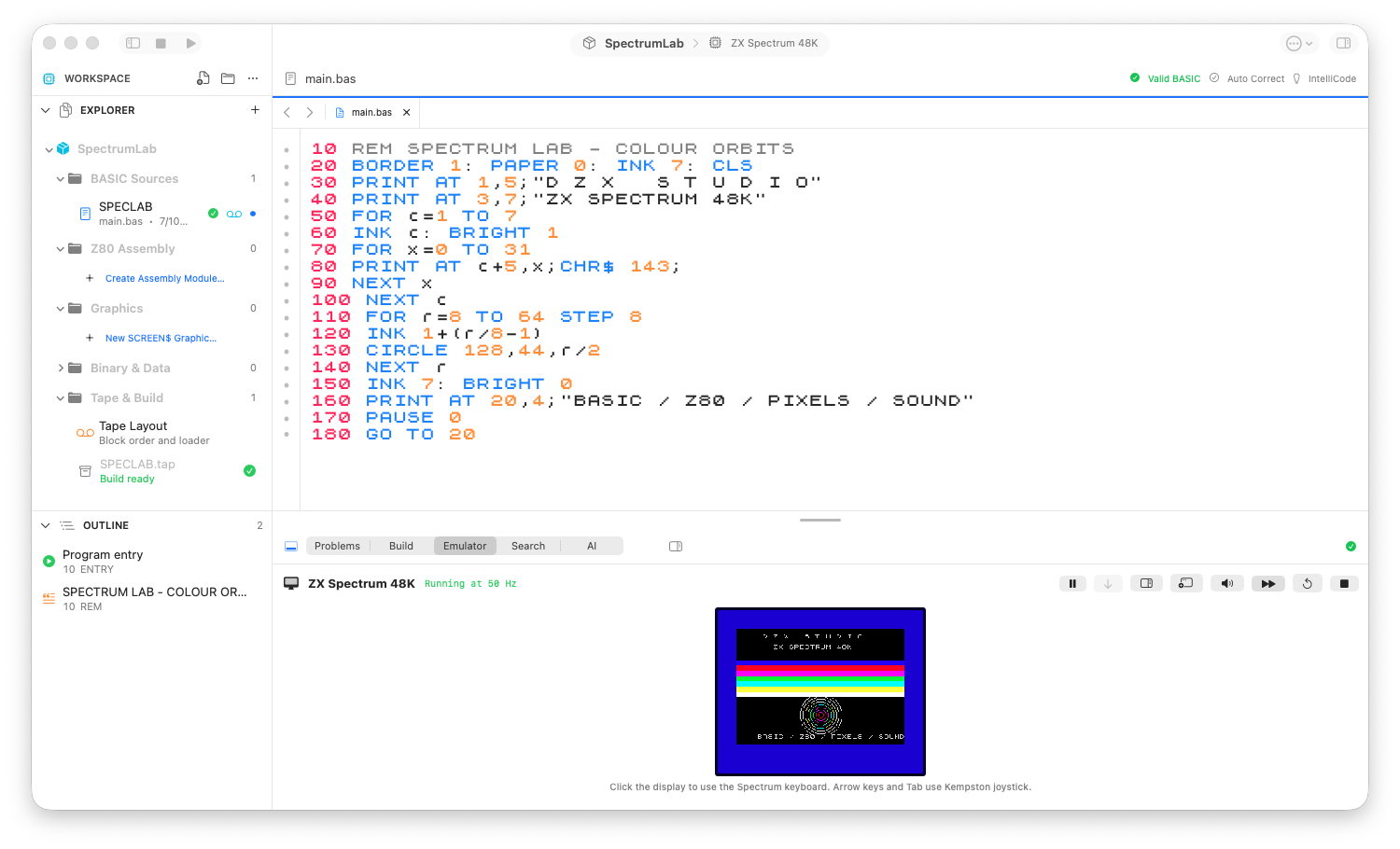
SpectrumLab 48K project in DZX STUDIO, with BASIC source and its colourful output in the integrated emulator.
BASIC, from source to screen

The 48K workbench: project navigator, syntax-aware source and the running program.

03 / 48K + 128K

Z80 Machine Code Studio

Current

Author, assemble, review and test real Z80 modules without giving up visibility into memory or calling contracts.

  • Bundled, signed SJAsmPlus 1.24.0
  • Instruction help with flags, encoding and T-states
  • Symbols and SLD source maps
  • Preview-before-accept binary workflow
  • Pausable routine tests with simulated-time and PC progress
  • Memory collision checks and banked 128K placement
  • Continue with preserved CPU/RAM; Stop is inconclusive
  • Reviewable BASIC call and loader integration
How to use these tools
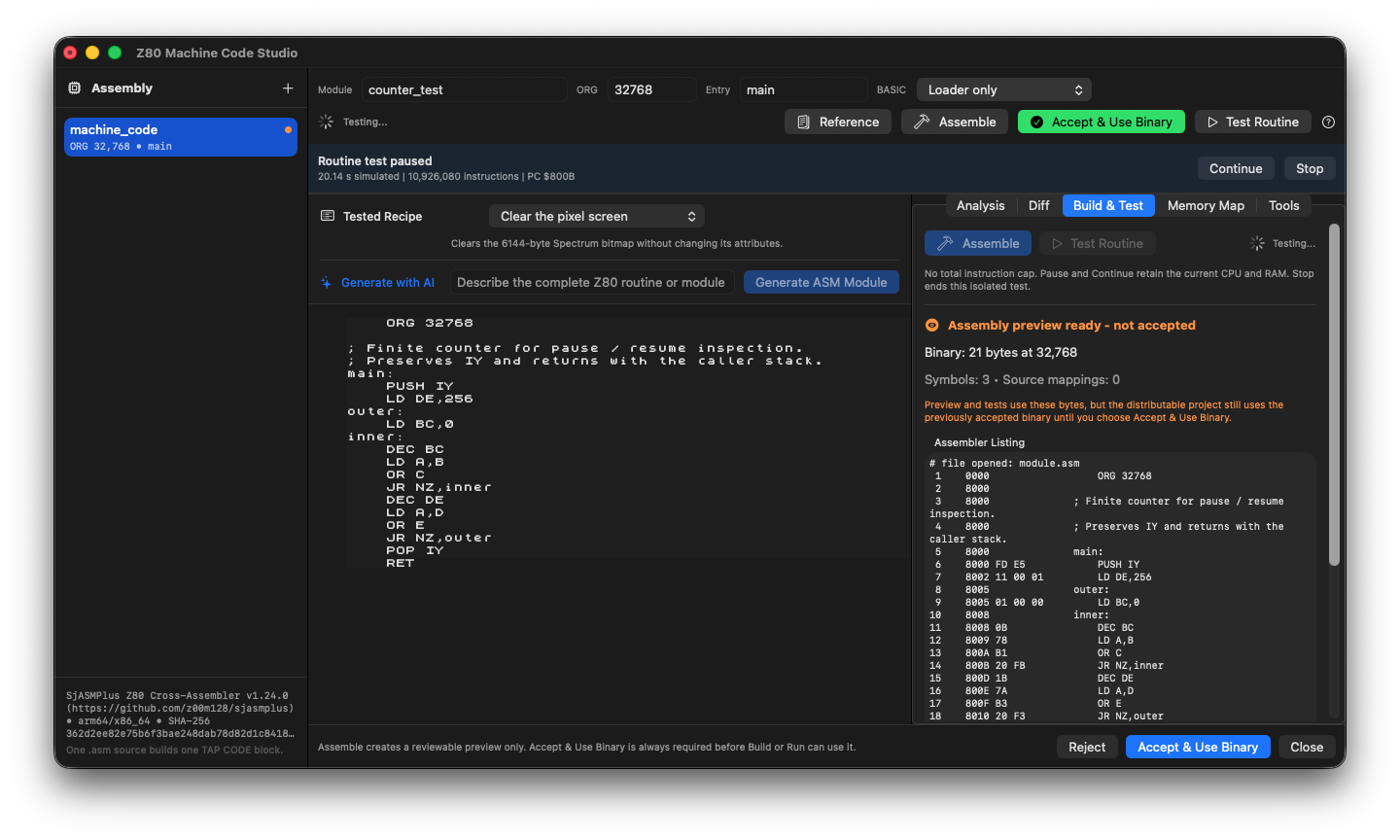
Z80 Machine Code Studio showing a finite counter routine paused after 20.14 simulated seconds, with instruction count, PC, Continue and Stop controls and an unaccepted assembly preview.
Pause without losing the machine state

The isolated counter test paused at PC $800B after 10,926,080 instructions. Continue resumes the test; accepting the assembled binary remains a separate decision.

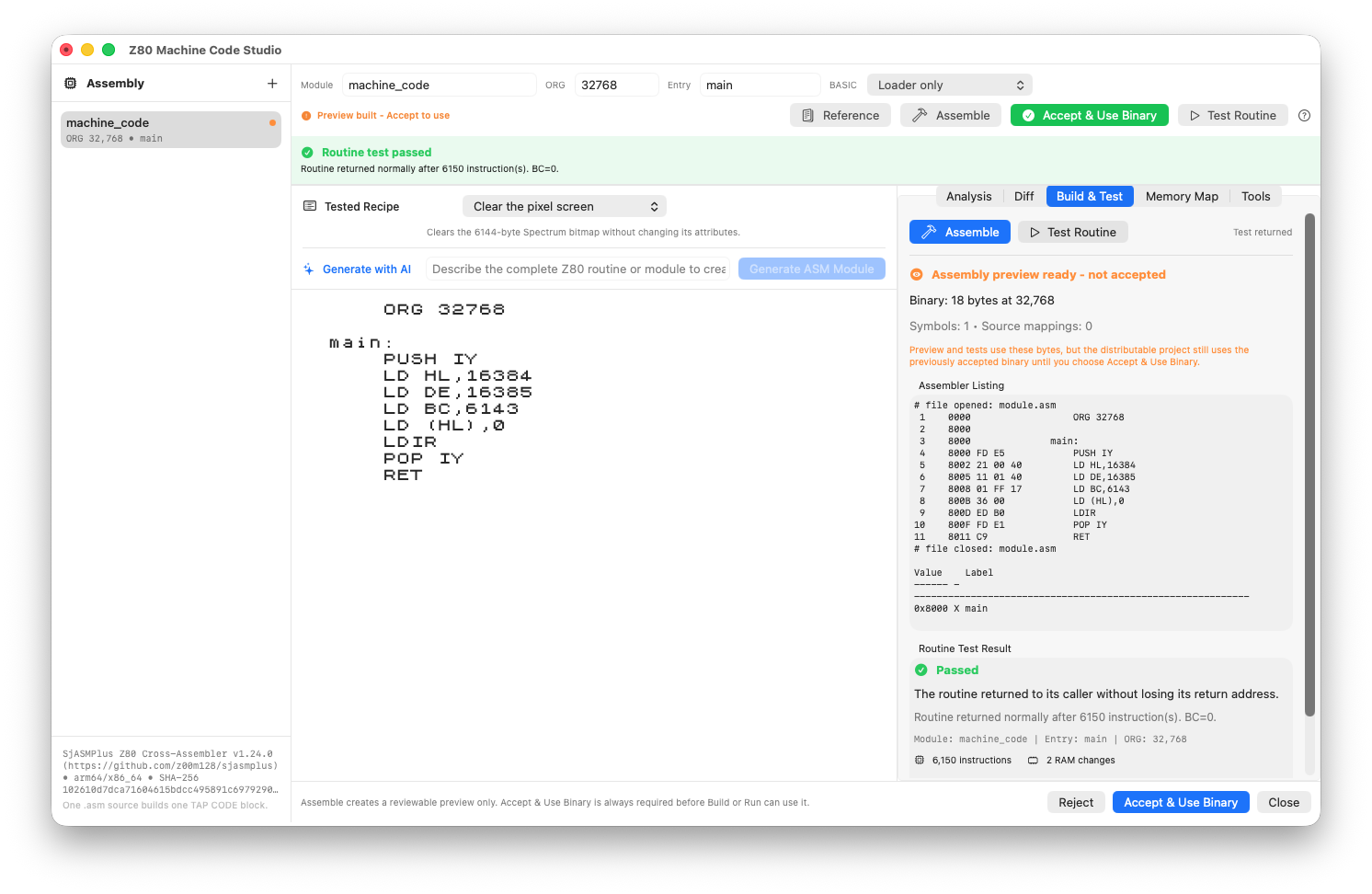
Z80 Machine Code Studio showing assembly source, assembler preview and a passed 6150-instruction routine test.
Assemble. Test. Review.

A screen-clearing Z80 routine, its assembled listing and a passed routine test. Acceptance remains a separate action.

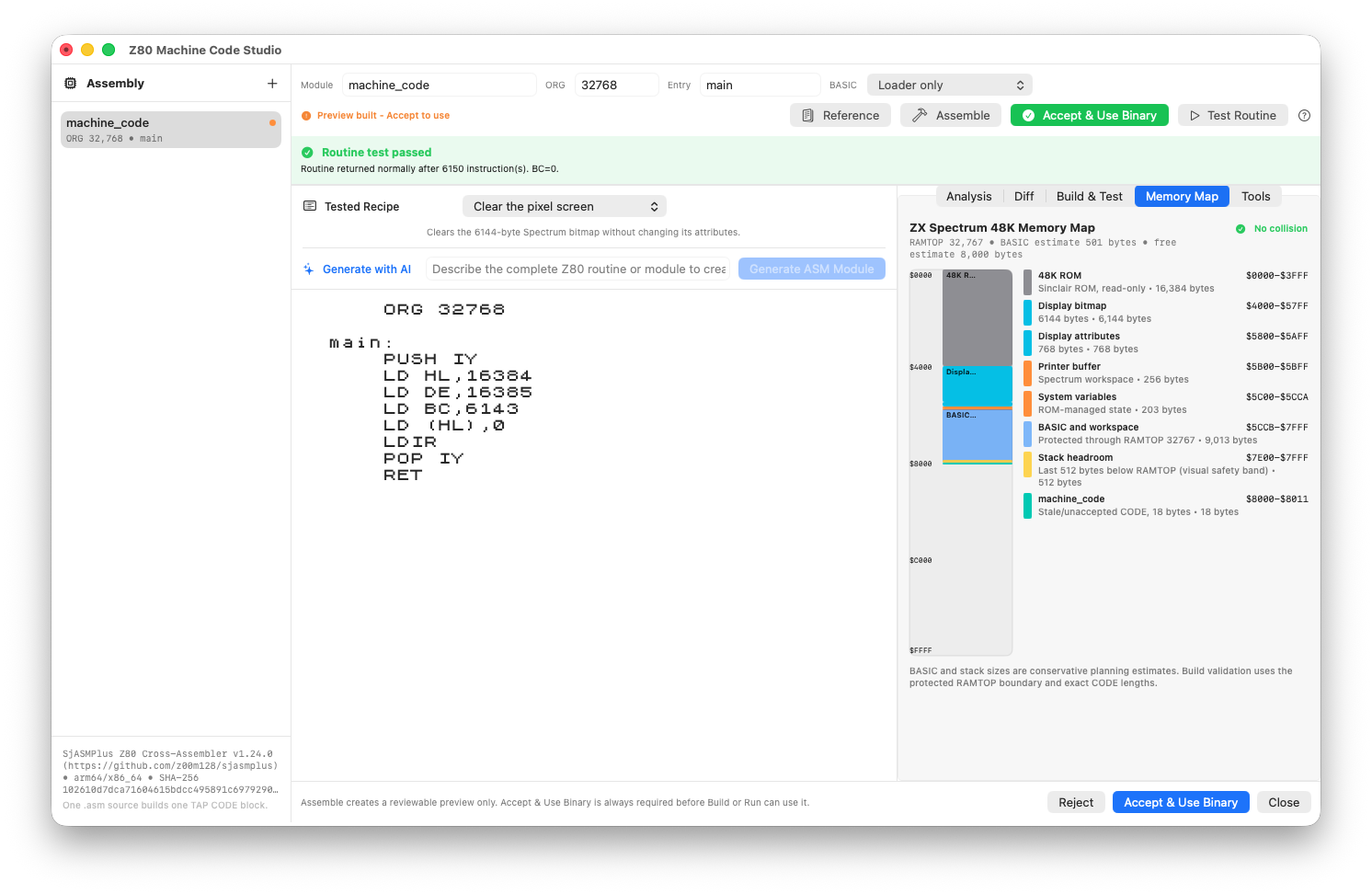
Z80 Machine Code Studio with the memory map and placement review for an assembled routine.
Know where the bytes go

Inspect the assembled preview against the machine memory map before accepting it.

04 / 48K + 128K

Build, tape & export

Current

A deterministic artifact graph turns sources and assets into reviewable, reproducible Spectrum media.

  • Typed artifact graph and build fingerprint
  • Ordered BASIC, SCREEN$ and CODE blocks
  • Tape Layout Editor and loader dependency checks
  • Reviewable 128K banked loader
  • TAP, WAV and project archive export
  • Searchable Sinclair-style PDF listings
How to use these tools
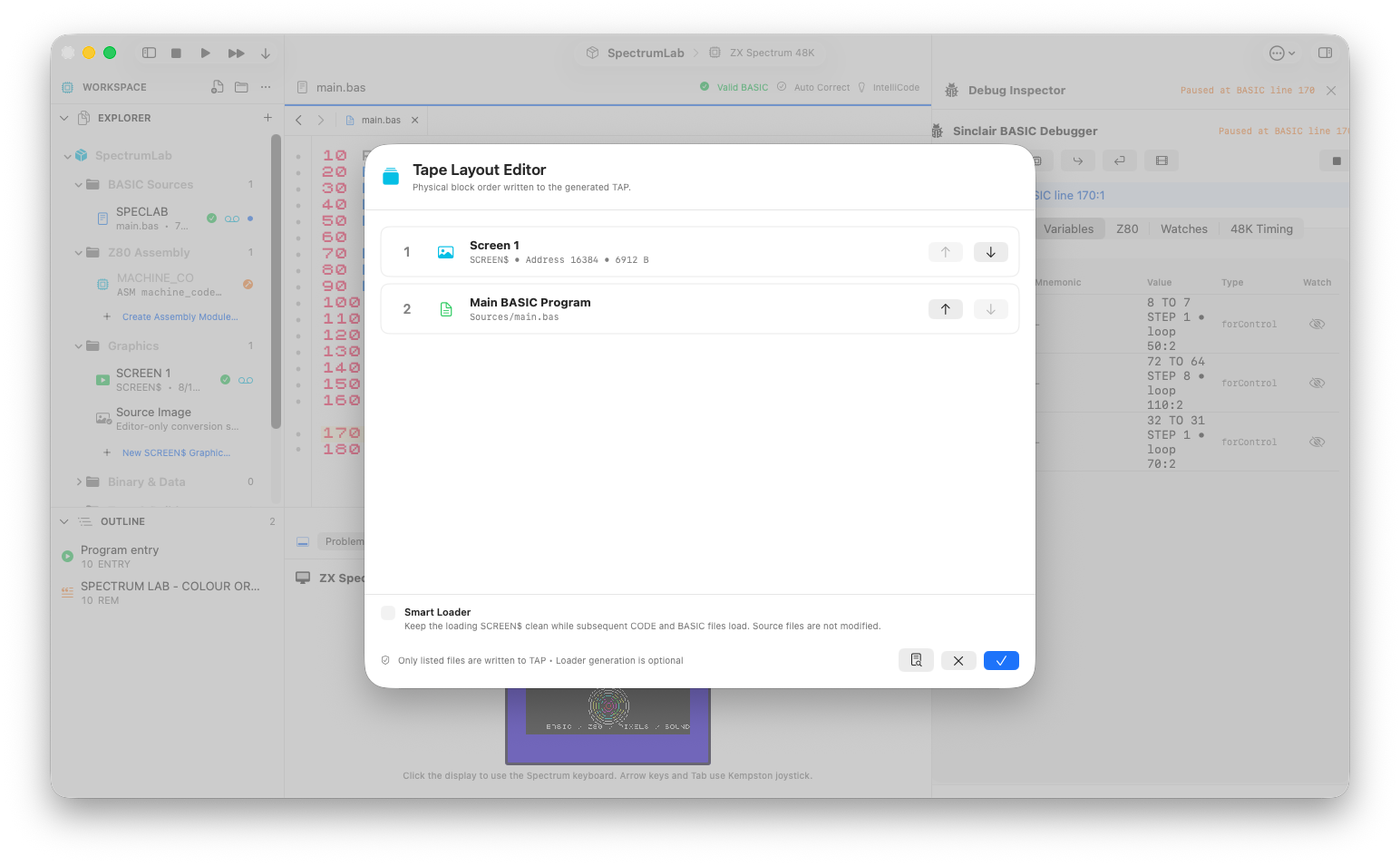
Tape Layout Editor showing Screen1 at address 16384 before the main BASIC program.
The order on the tape

A 6912-byte loading SCREEN$ followed by the BASIC program in the Tape Layout Editor.

05 / 48K + 128K

Graphics Studio

Current

Work directly with the Spectrum display model, from loading screens to reusable generated drawing routines.

  • Multiple 6912-byte SCREEN$ assets
  • PNG/JPEG conversion with authentic preview
  • Fit, Crop and Stretch conversion modes
  • Pixel and 8×8 attribute editing
  • Editable text positioning, live ink/paper and rasterization
  • Native graphic Undo and image layers
  • 8×8 UDG editor for slots A–U
  • Generate reviewable BASIC or Z80 drawing code
How to use these tools
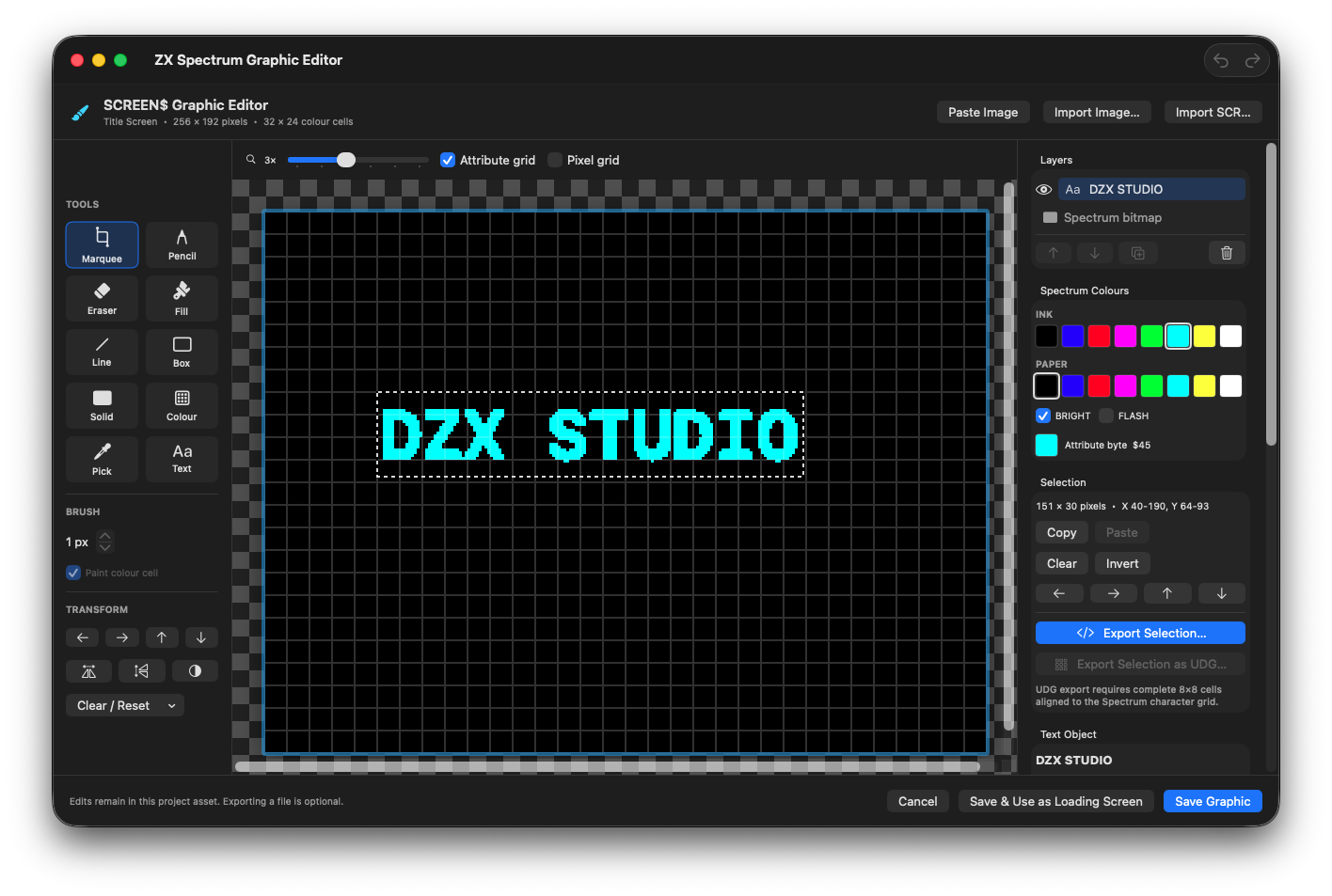
SCREEN$ Graphic Editor with an editable DZX STUDIO title selected on a black canvas, the text layer in Layers, cyan ink, black paper, BRIGHT and selection coordinates.
Keep the title editable

A bright-cyan DZX STUDIO text layer at X 40, Y 64. Its selection, colour palette and 8 × 8 attribute grid remain available before rasterizing.

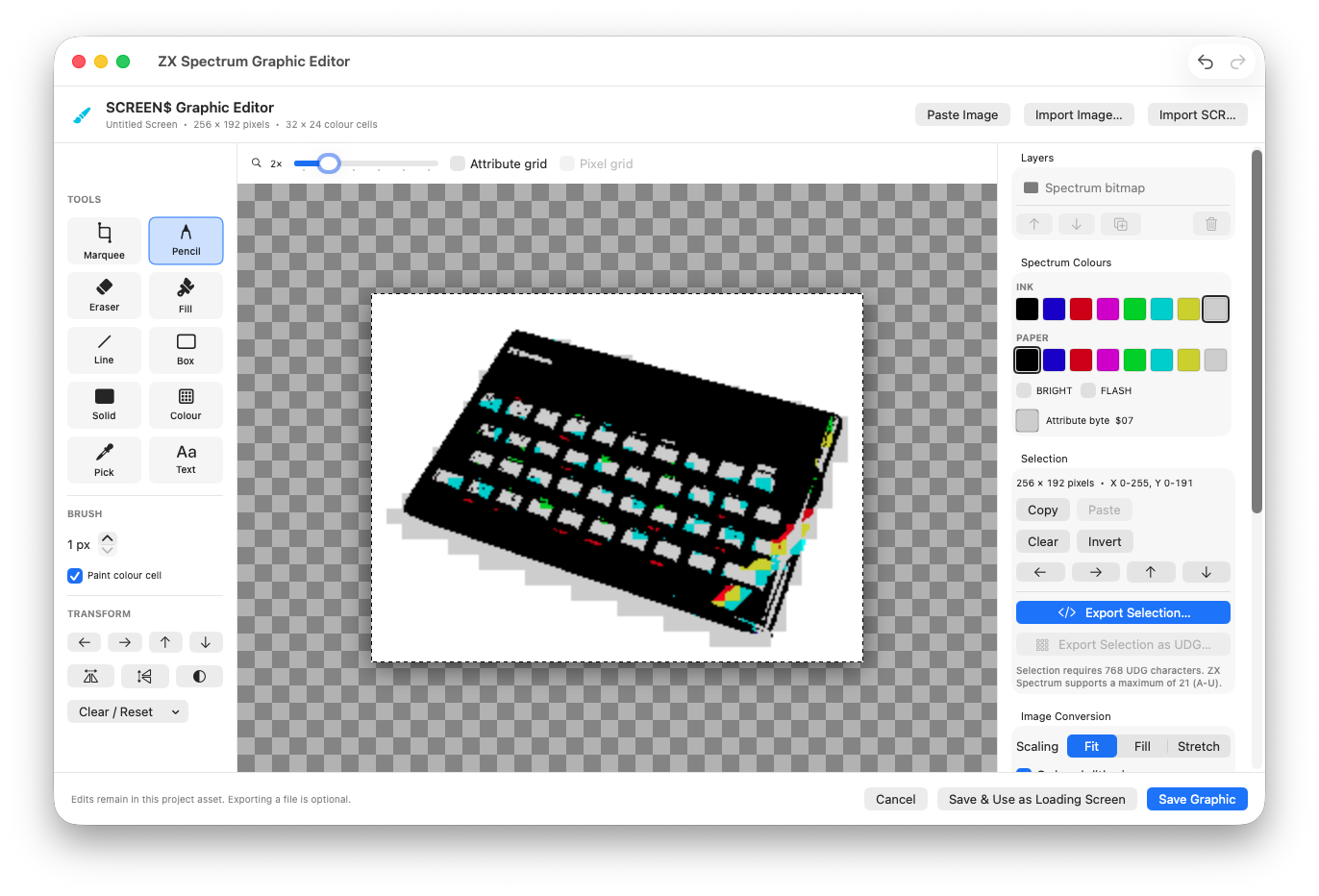
ZX Spectrum Graphic Editor displaying the original computer photograph converted to the Spectrum colour palette.
A photograph, in Spectrum pixels

The original ZX Spectrum photograph converted to a 256 × 192 SCREEN$ in the Graphic Editor.

Photograph: Bill Bertram · CC BY-SA 2.5 · Converted to SCREEN$.
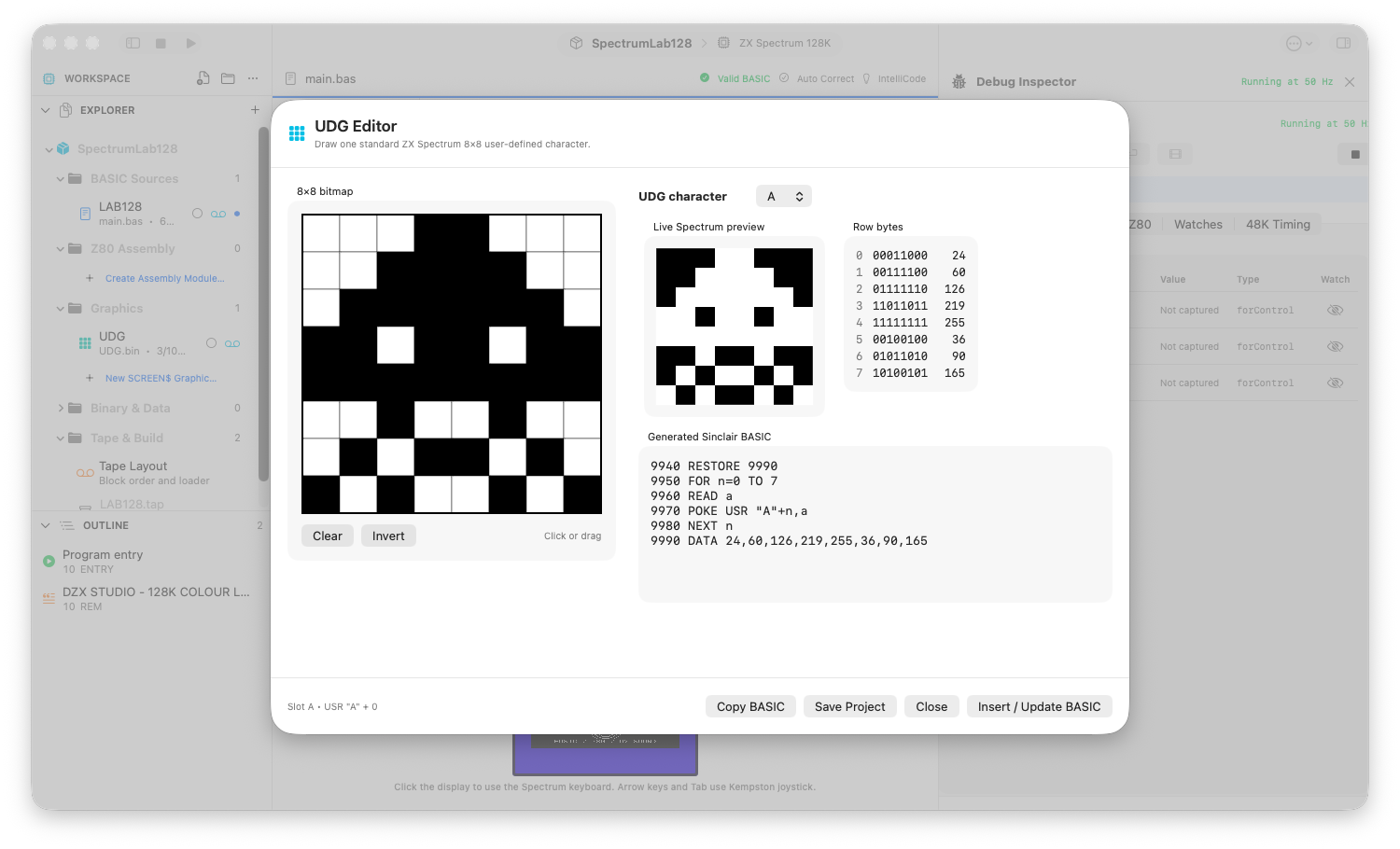
UDG Editor showing a pixel character in slot A, eight binary rows and generated BASIC DATA and POKE statements.
Eight rows. One character.

An 8 × 8 UDG, its row bytes, Spectrum preview and generated Sinclair BASIC.

06 / 48K + 128K

Integrated runtime

Current

Build and run against the intended machine from inside the project—not in a disconnected emulator workflow.

  • Bundled 48K and original 128K ROM runtime
  • Instant TAP loading
  • Run, Stop, Reset, Pause and Continue
  • Virtual keyboard and detachable display
  • 48K beeper audio
  • 128K banking and clocked AY sound path
How to use these tools
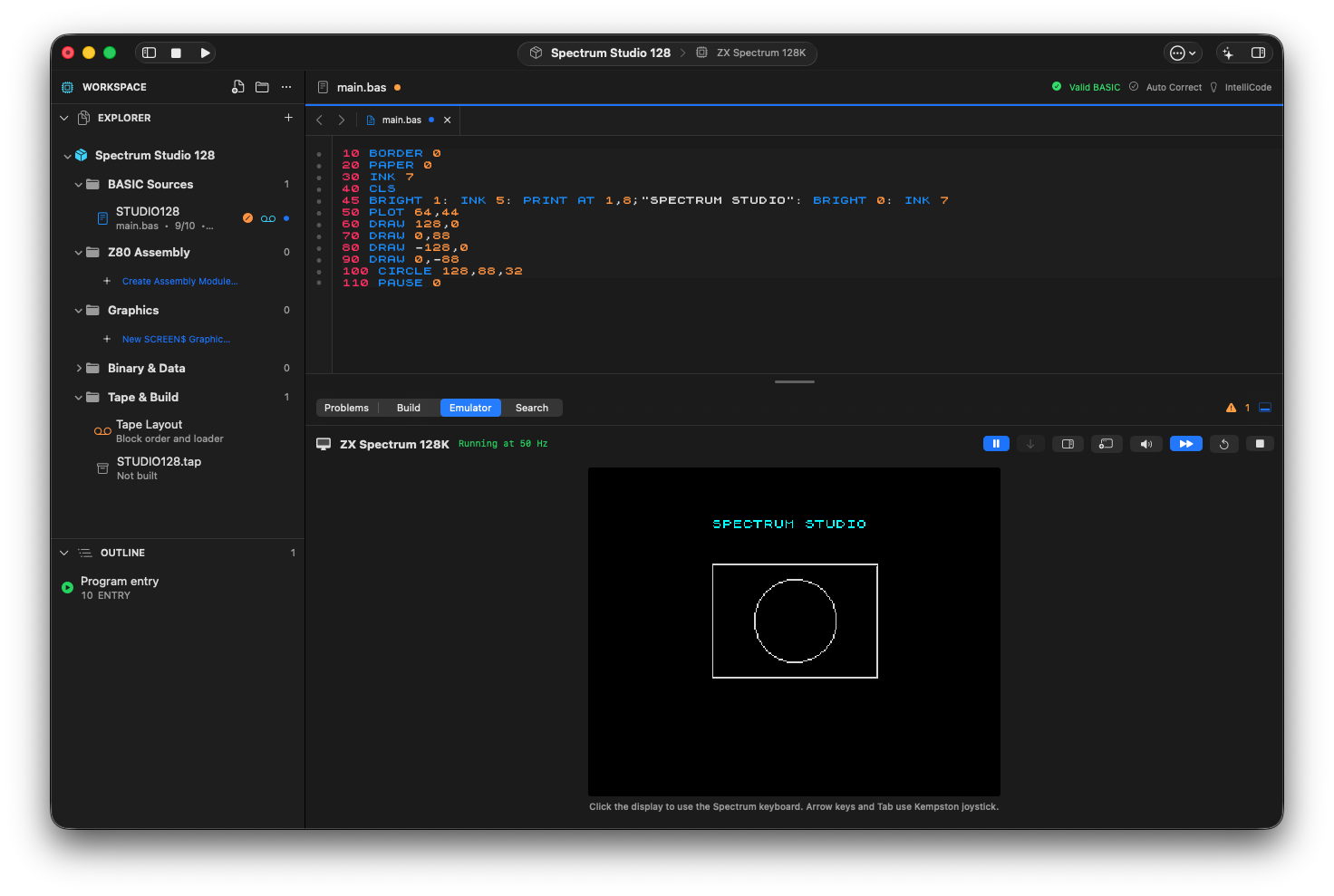
Spectrum Studio 128 BASIC source alongside the integrated 128K emulator displaying the cyan SPECTRUM STUDIO title, rectangle and circle.
Review it. Then run it.

The approved title change running on the 128K target, with the original rectangle and circle preserved.

SpectrumLab 48K project in DZX STUDIO, with BASIC source and its colourful output in the integrated emulator.
BASIC, from source to screen

The 48K workbench: project navigator, syntax-aware source and the running program.

07 / 48K + 128K

Debugger & project tests

Current

Move between BASIC, Z80 and machine state with a shared source identity and reproducible runtime evidence.

  • BASIC, assembly-source and address breakpoints
  • Linked BASIC music-source breakpoints
  • Bank-qualified 128K addresses and memory assertions
  • Line, instruction, step-over and return stepping
  • Registers, stack, variables, memory and disassembly
  • Integrated 128K project runtime tests
  • Target-aware Timing inspector
  • SCREEN$ hashes and saved failure evidence
How to use these tools
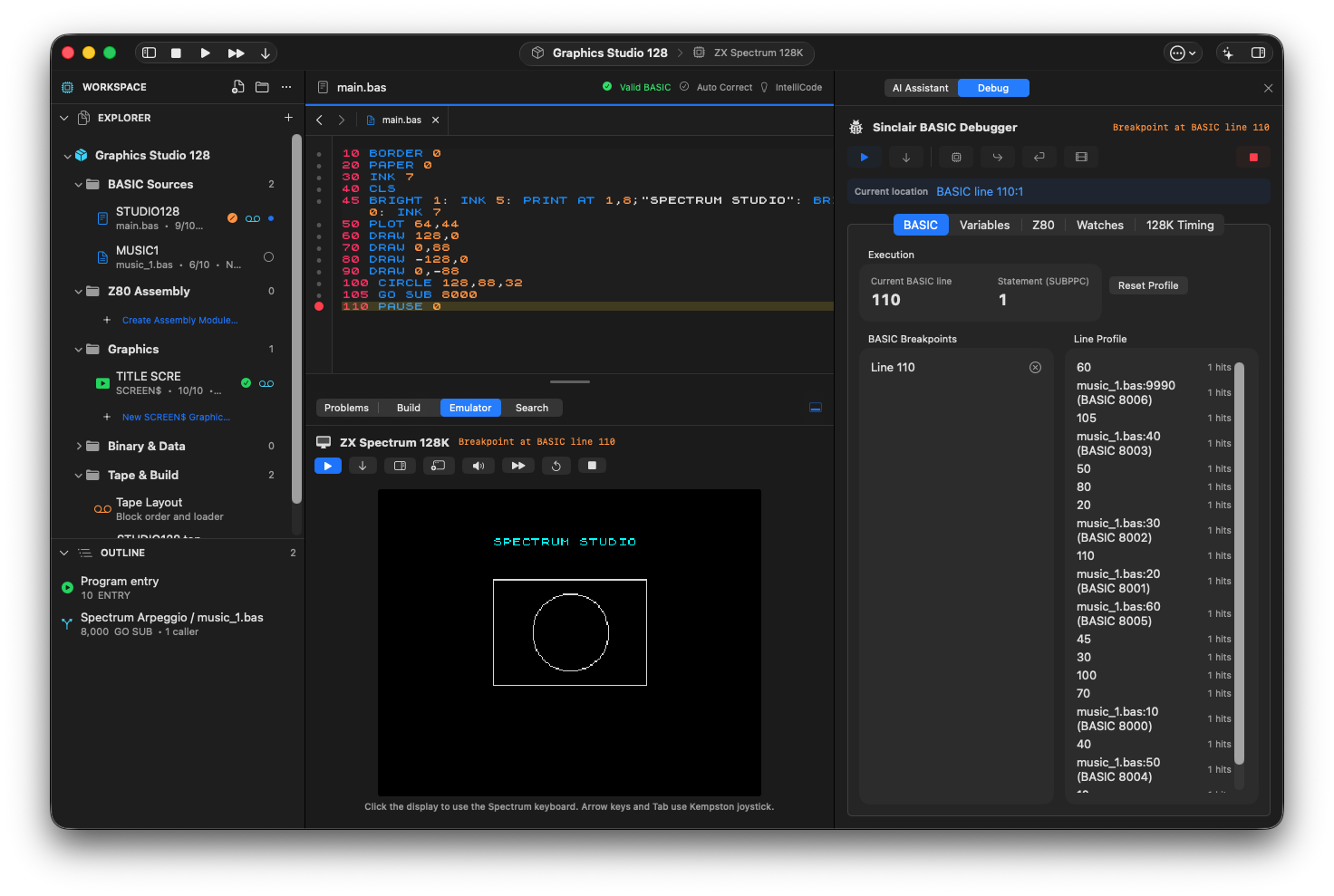
DZX STUDIO paused at a real BASIC line 110 breakpoint on the 128K target, with the source line highlighted, emulator output and line-profile entries for music_1.bas mapped to BASIC lines 8000–8006.
Stop at the line. Follow the call.

The 128K project stopped at BASIC line 110, after GO SUB 8000 returned. The line profile maps the linked music routine back to music_1.bas.

08 / 48K + 128K

Music Studio

Current

Compose in project-native patterns, play live, record a take and generate reviewable BASIC or assembly.

  • Piano roll with drag, resize, snap, zoom and playhead
  • Exact Events view and pattern-order composition
  • Realtime piano, computer keys and MIDI USB input
  • Recording review with individual note deletion
  • Retained take drafts and project-scoped Undo
  • Linked BASIC routines and supported AY PLAY effects
  • Reviewed 48K/128K composition conversion
  • Target-aware ASM and player-free music data export
How to use these tools
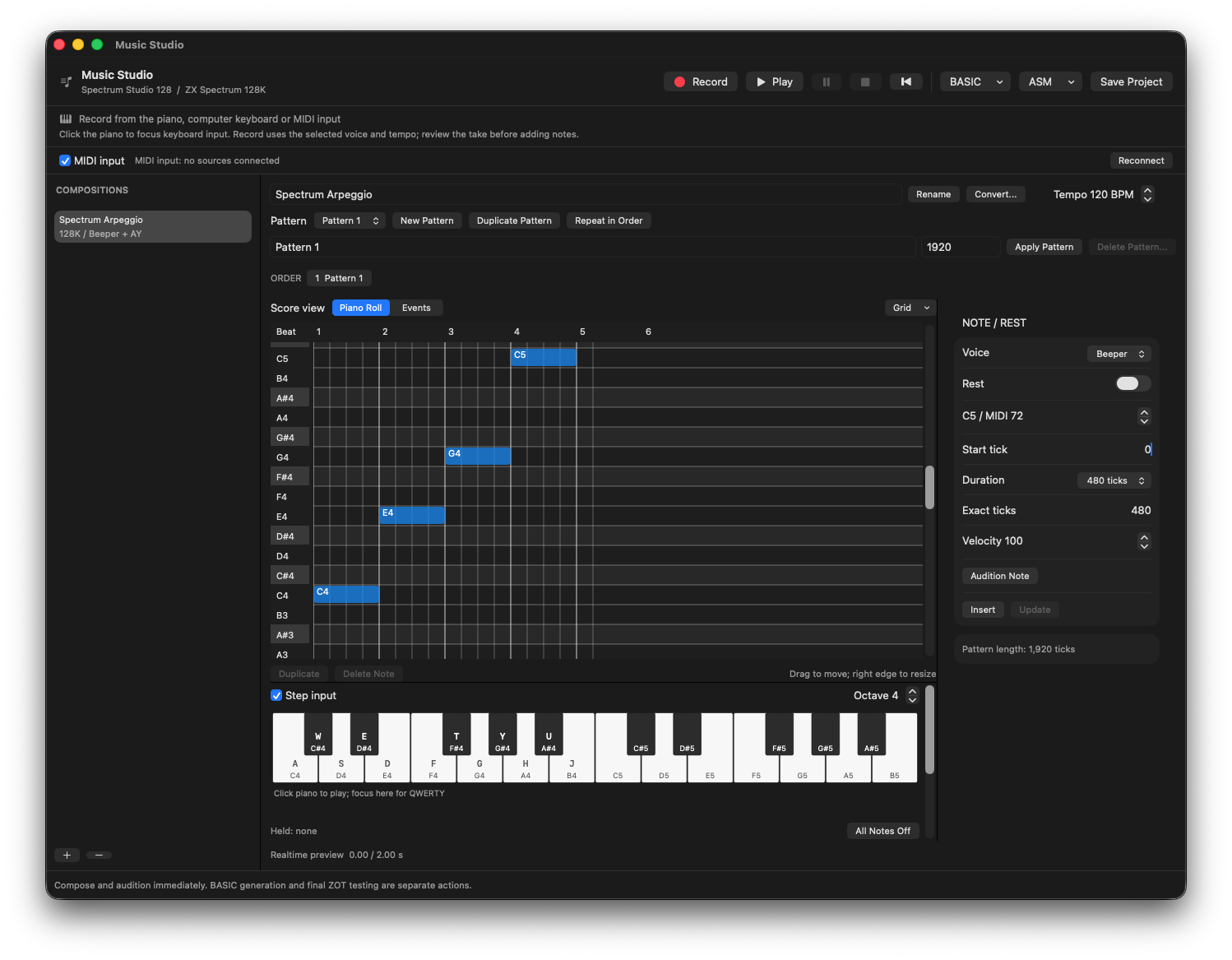
Music Studio piano roll displaying the four-note Spectrum Arpeggio, the Beeper voice, note timing controls and two-octave keyboard.
Shape the phrase in the piano roll

C4, E4, G4 and C5 entered with Step input: four quarter notes at 120 BPM, with exact timing alongside the grid.

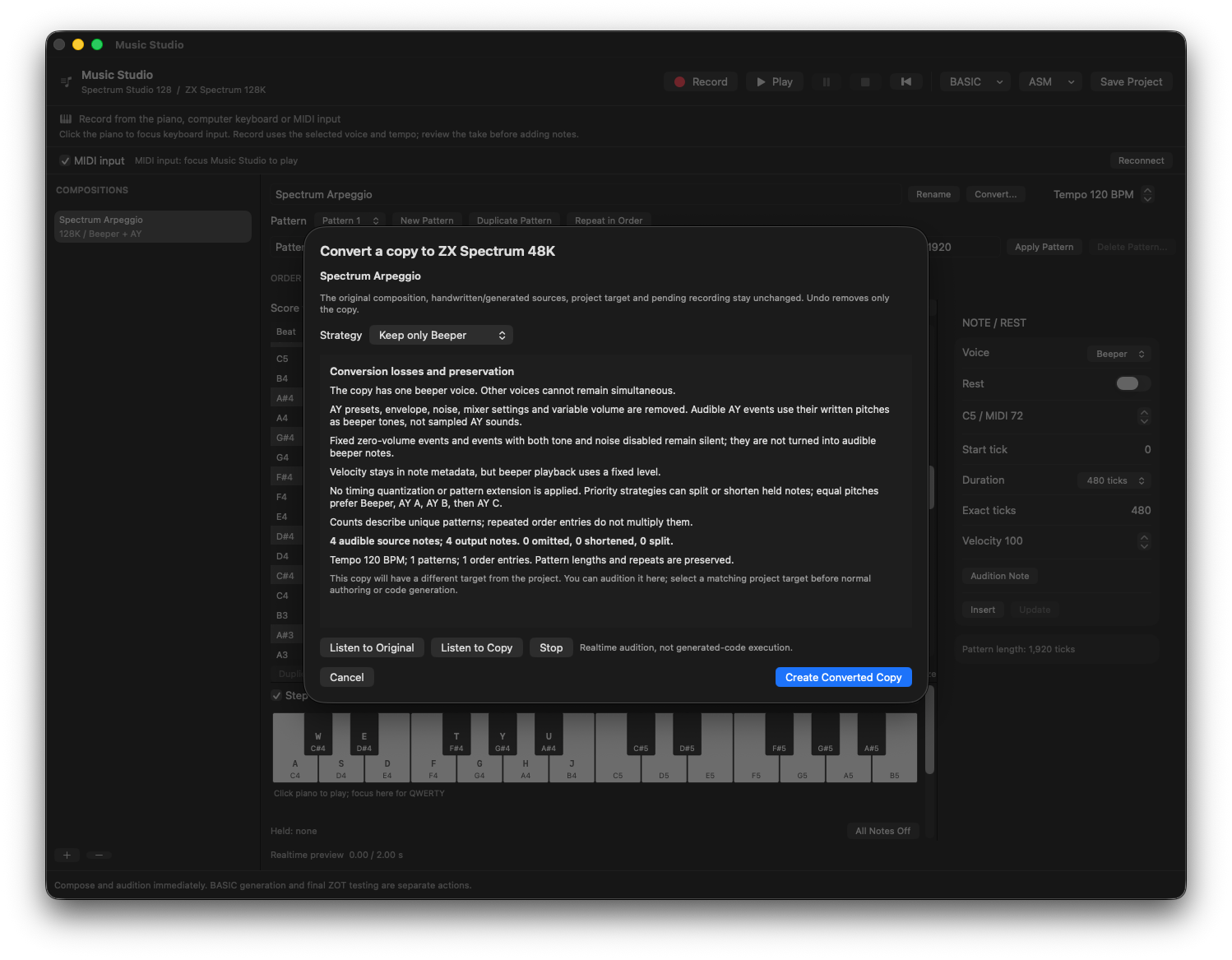
Music Studio conversion review from a 128K composition to a 48K copy, with the Beeper strategy, four source and output notes, loss counts and audition controls.
See what a target conversion preserves

Keep only Beeper preserves all four notes in this 48K conversion preview. Review losses and audition the copy before creating it.

09 / 48K + 128K

Reviewable AI

Current

Ask for help without handing control of the document to a model. Every code change remains explicit and reversible.

  • Project assistant beside the source with context details
  • Contextual Command-K for BASIC and Z80
  • Fix, explain, optimize and generate actions
  • Persisted 48K/128K hardware context for ASM requests
  • Resource proposals with explicit Include change review
  • Local validation before Apply Reviewed Changes
  • Accept, Reject and one-step Undo
  • OpenAI, Anthropic, OpenRouter, Ollama and local backends
  • Separate model roles and optional Codex runtime integration
Follow the eight AI workflows
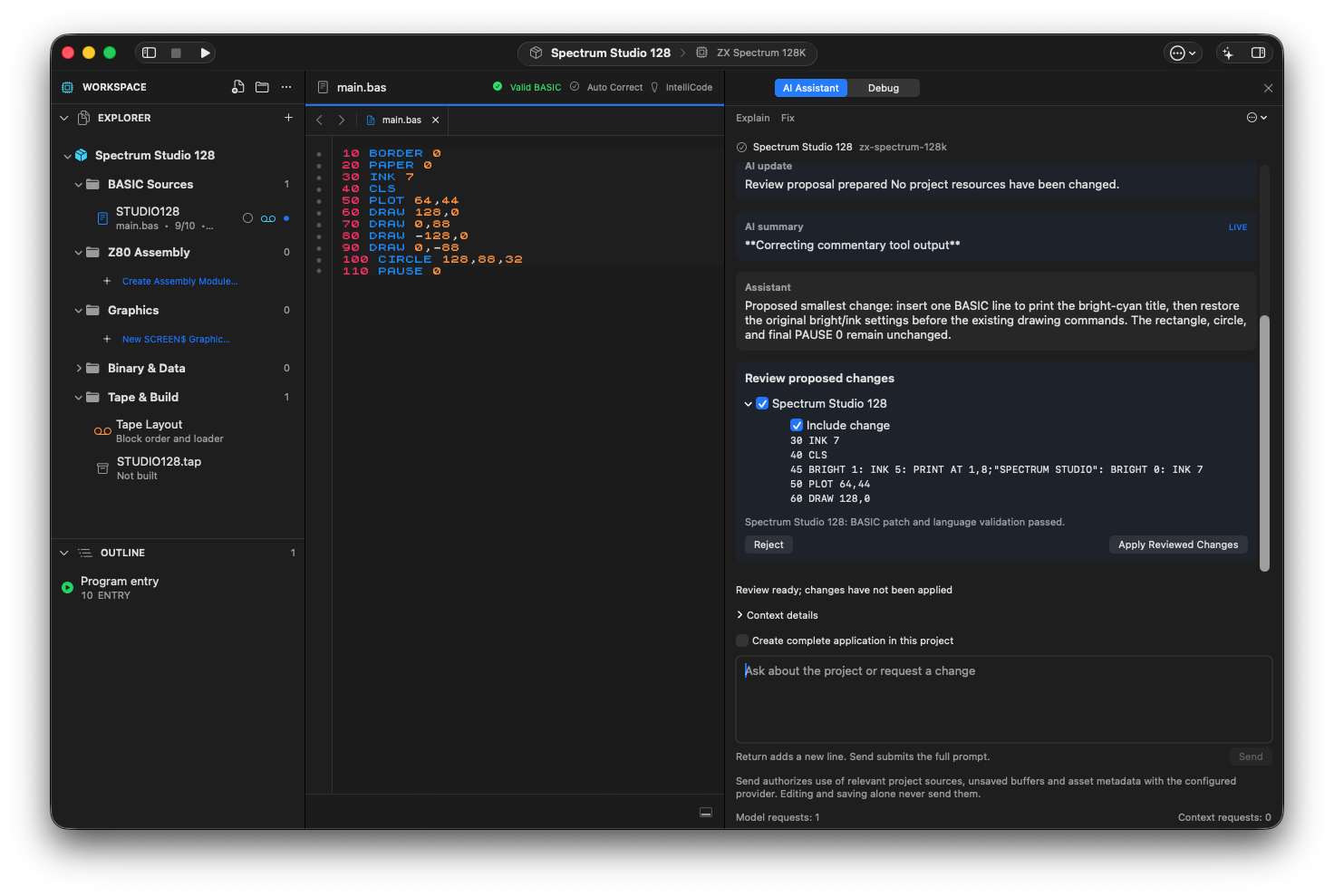
DZX STUDIO project AI Assistant showing a validated BASIC insertion at line 45, Include change, Reject and Apply Reviewed Changes beside the unchanged source.
A proposal, not a silent rewrite

The project assistant proposes one BASIC line for a bright-cyan title. Local validation has passed; Apply Reviewed Changes is still a separate action.

Spectrum Studio 128 BASIC source alongside the integrated 128K emulator displaying the cyan SPECTRUM STUDIO title, rectangle and circle.
Review it. Then run it.

The approved title change running on the 128K target, with the original rectangle and circle preserved.

10 / 48K + 128K

Game Project Agent

Experimental

A guarded project-level proposal workflow under active development.

  • Conversational project brief
  • Structured BASIC, assembly and screen proposals
  • Resource report and validation
  • Explicit review before project creation
  • Cancelable progress monitoring
  • Experimental status shown throughout the site
How to use these tools
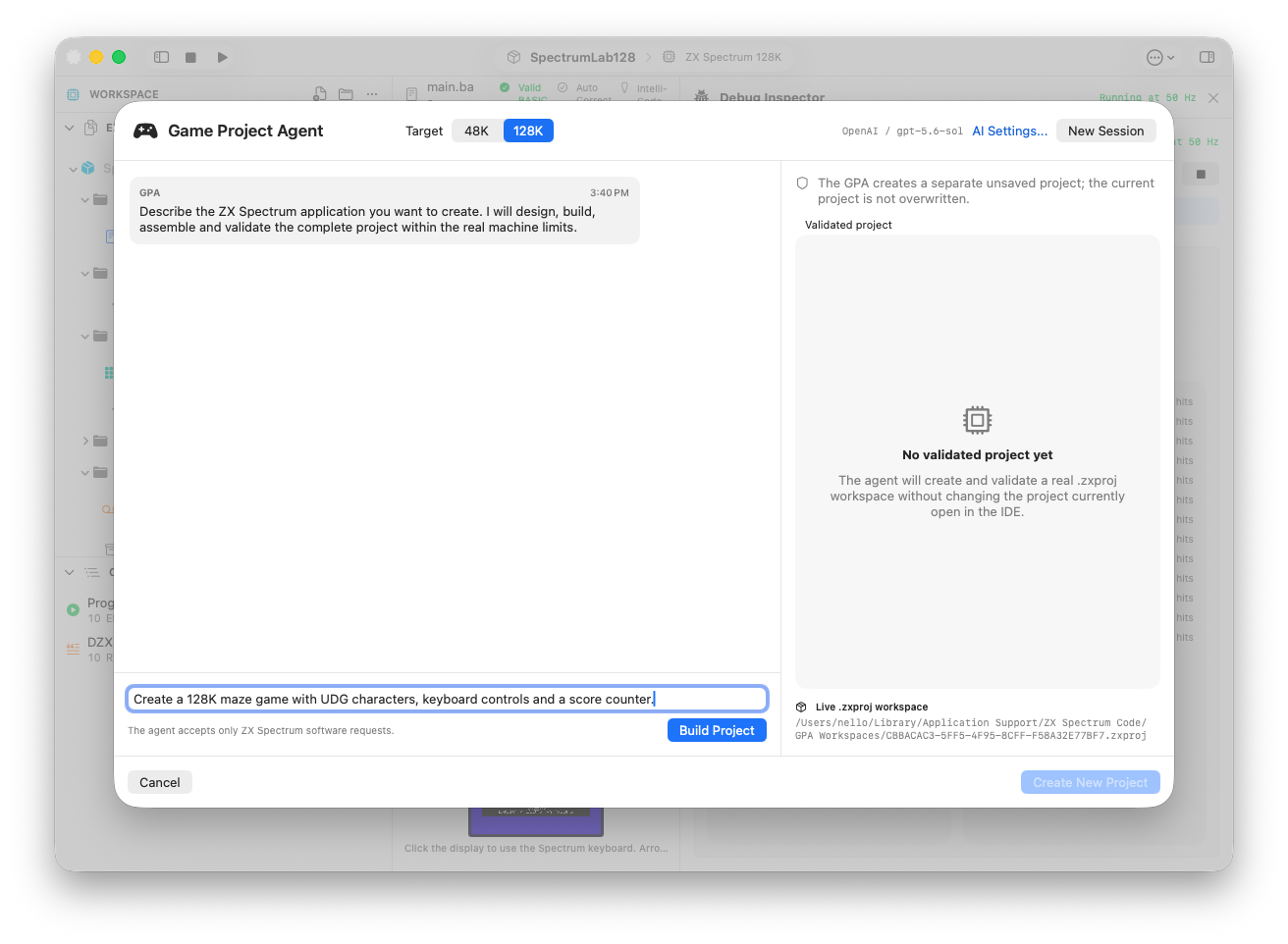
Game Project Agent with the 128K target selected, an unsubmitted maze-game brief and a separate validated-project area.
Describe a project for the machine

The experimental Game Project Agent: a 128K brief ready to submit, with the separate project validation area alongside it.
LEARN BY BUILDING

Turn the tools into a working TAP.

Open the AI Field Guide