Core workflow
- 01
Create a module with an origin, entry label and routine contract.
- 02
Use F1 on an instruction to review operands, flags, encoding, timing and a Spectrum example.
- 03
Assemble in the isolated bundled SJAsmPlus environment and inspect diagnostics, symbols and memory use.
- 04
Run Test Routine, review BASIC integration, then explicitly accept the output.
OPERATIONS & REFERENCE
Create an assembly module
Choose Tools → Create Machine Code. Set a free origin, entry label and routine contract before adding code. Specify inputs, clobbered registers, preserved state and the return path. Keep the module’s placement explicit; an address from a tutorial is not automatically free in your project.
Supported SJAsmPlus source
Write ordinary Z80 assembly for the bundled SJAsmPlus 1.24.0 helper. Use one isolated module producing one CODE block. Assemble to catch operand and directive errors, then inspect the emitted bytes and symbols. No separate Homebrew assembler installation is needed.
Blocked directives and isolation
External file reads, scripts, arbitrary output and unsafe includes are blocked in the isolated assembly path. If an imported or AI-generated module requests them, adapt it to self-contained source. A directive supported by upstream SJAsmPlus may still be intentionally unavailable here.
Instruction Quick Help
Place the caret on an instruction and press F1. Compare operands, flag effects, encoding and T-states with the routine contract. Use the example to understand the instruction, not as proof that the same code is safe at your chosen memory location.
Assemble, test and accept
Assemble creates a temporary preview. Test Routine executes that preview only when requested. Accept & Use Binary installs the reviewed distributable CODE output. After a source change, assemble and accept again; a previously green build does not make the new source’s binary current.
Pausable routine tests
In the 1.6 runner, Test Routine shows simulated seconds, instruction count and PC. Pause retains CPU and RAM; Continue resumes that state. Stop is inconclusive. An automatic pause after 30 seconds of host execution can be continued and does not prove a loop is wrong. Normal return with the stack intact is distinct from merely stopping.
Source maps and symbols
Use the assembly symbols and SLD mapping to connect the debugger PC to a source line. Keep the mapping from the same assembly as the running binary. If a label, highlighted instruction and PC disagree, refresh the build rather than interpreting mismatched evidence.
Memory map and collisions
Inspect the full output range, not only the origin. Check screen memory, BASIC, UDG, stack and other CODE blocks before acceptance. Review the generated CLEAR and loading contract for BASIC calls. A short routine can still collide if its chosen address is occupied.
Banked 128K placement
Declare both physical bank and logical address for banked modules. Review the caller paging state, stack and banked loader before accepting. Addresses in the paged window do not identify a bank on their own; test with the intended target and bank layout.
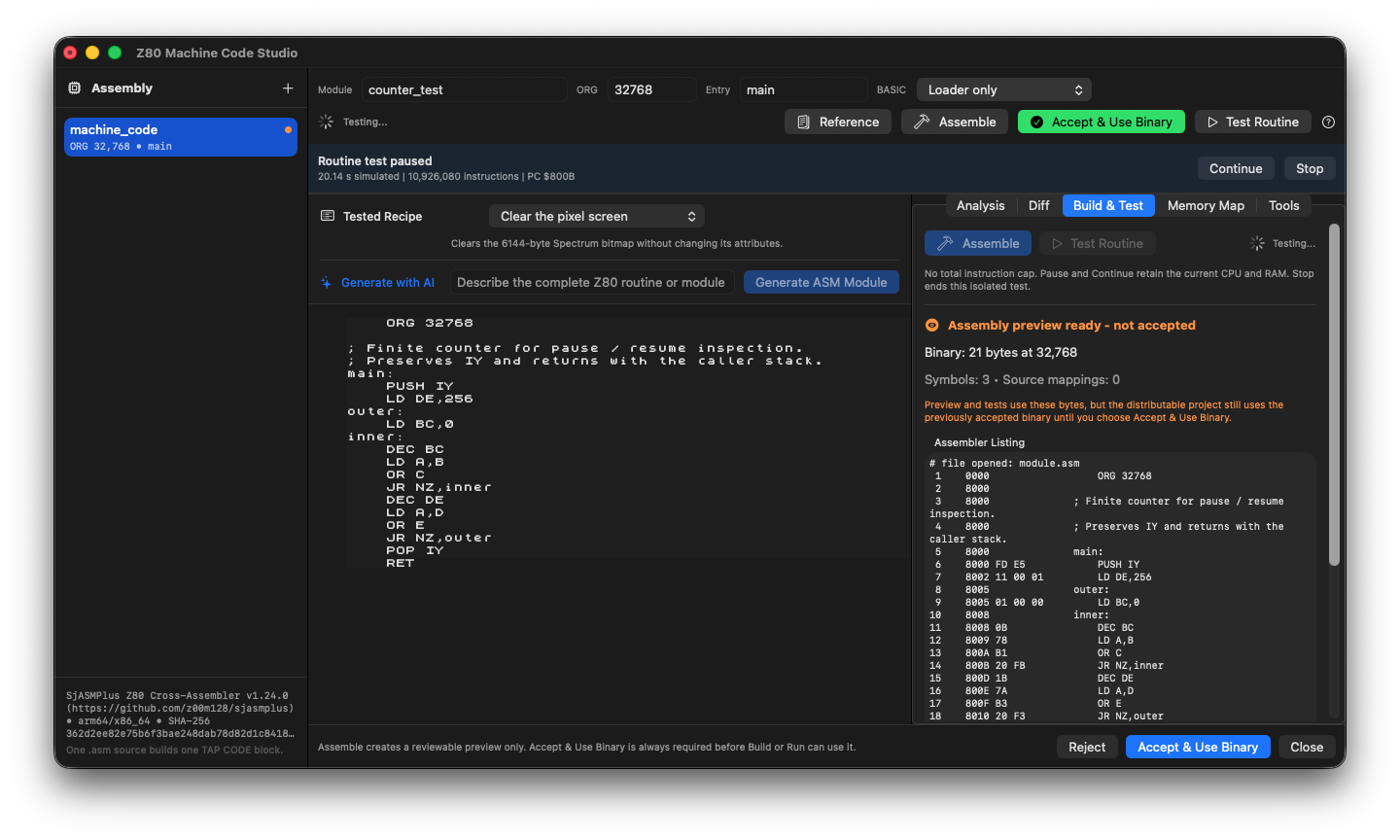
The isolated counter test paused at PC $800B after 10,926,080 instructions. Continue resumes the test; accepting the assembled binary remains a separate decision.
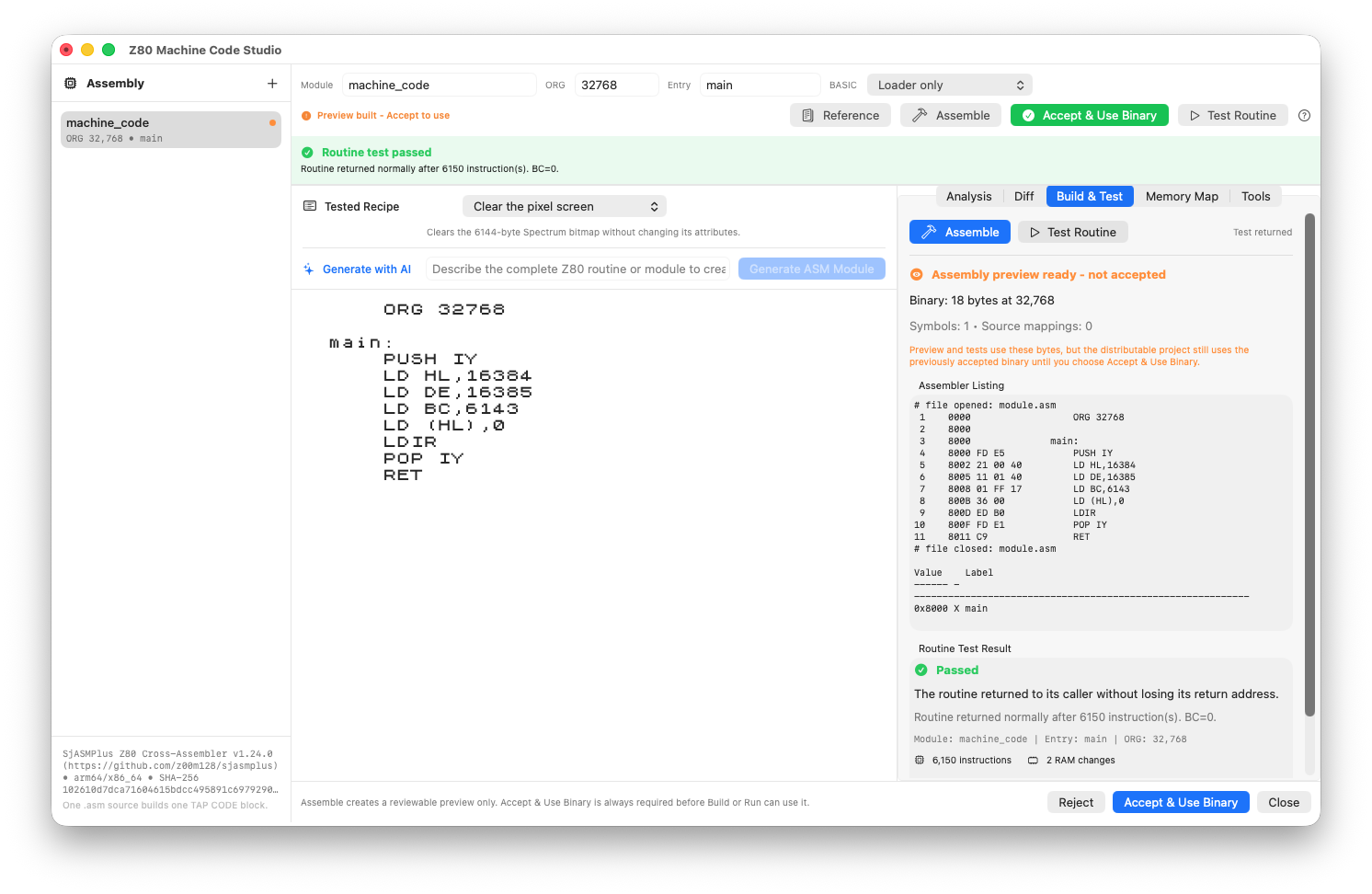
A screen-clearing Z80 routine, its assembled listing and a passed routine test. Acceptance remains a separate action.
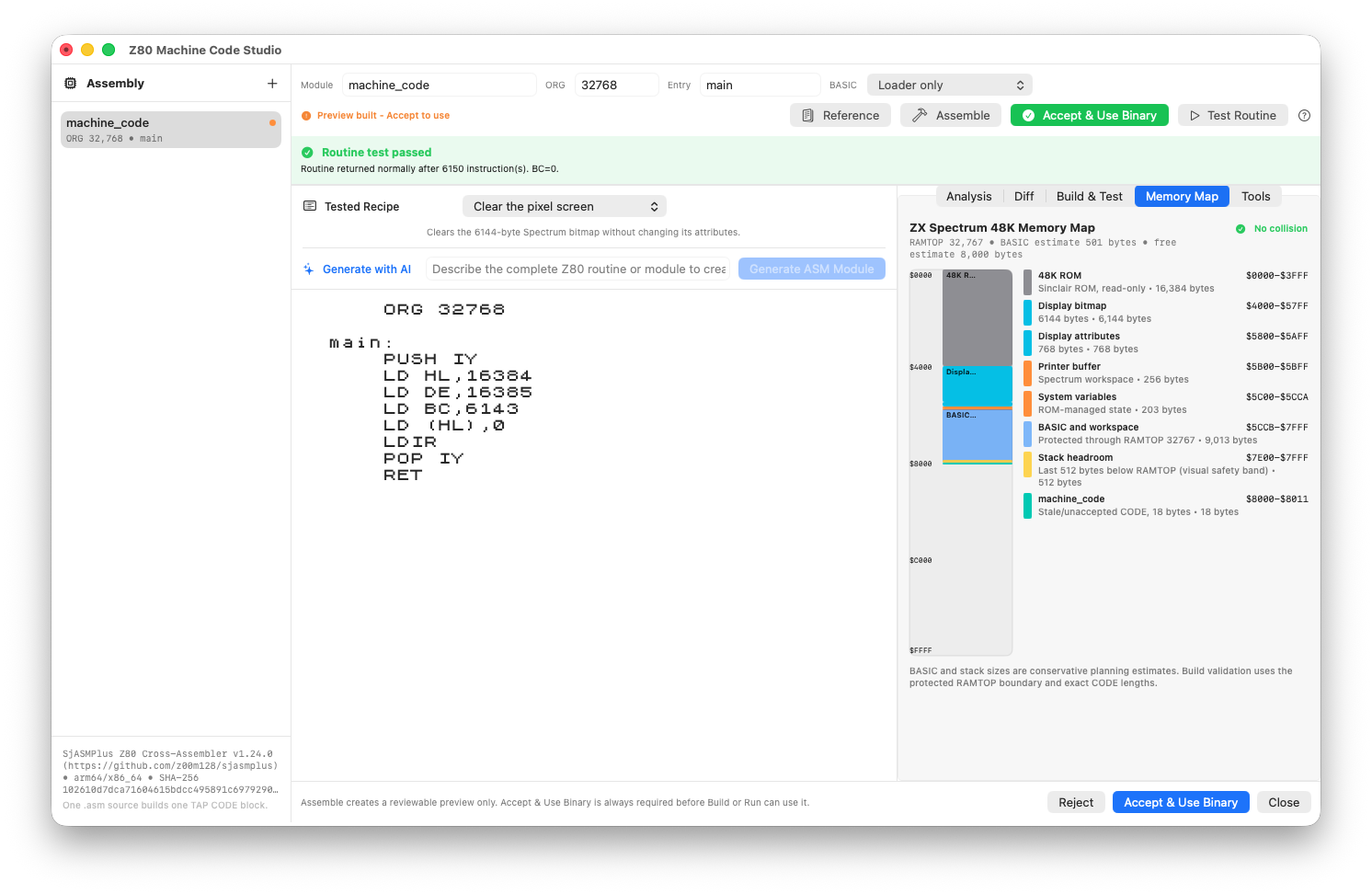
Inspect the assembled preview against the machine memory map before accepting it.
Review checks
The source hash matches the accepted binary and SLD mapping.
The routine returns normally with the caller stack intact; a pause or Stop is not a successful return.
CODE ranges do not overlap screen memory, UDG storage, BASIC or another module.
Boundaries
File-reading, script execution and arbitrary-output directives are blocked.
Reassemble whenever source highlighting, symbols and the current PC disagree.