Core workflow
- 01
Create a blank graphic or import PNG/JPEG.
- 02
Choose Fit, Crop to Fill or Stretch and judge the converted Spectrum preview.
- 03
Edit pixels, attributes, text or image layers; save the asset without automatically adding it to tape.
- 04
Use it as the loading screen or generate reviewable BASIC/Z80 code from a selection.
OPERATIONS & REFERENCE
SCREEN$ library
Create or select the intended SCREEN$ asset before editing. Each screen has its own resource identity and exactly 6912 bytes of bitmap/attribute data when exported. Saving the asset keeps it in the project; Use as Loading Screen is the separate tape integration step.
Convert PNG and JPEG
Import your source image, then compare Fit, Crop to Fill and Stretch. Fit preserves the complete image, crop fills the canvas, and stretch changes the aspect ratio. Judge the converted 256×192 result and colour-cell boundaries, not just the original photograph.
Graphic Editor
Choose the correct asset and tool before drawing. Work with the pixel bitmap, attributes, image layers and selection, then save the native edit. Use Undo if a change affects the wrong region. Export a test SCR to inspect the flattened machine-format result.
Editable text layers
Create text as an editable layer, choose ink/paper and position it while it remains text. Move or nudge the layer and inspect live palette changes. Rasterize only when ready to commit the visible letters to the bitmap; after rasterization, glyph pixels no longer behave as editable text.
Colour clash and attributes
An 8×8 cell shares one ink and one paper colour, with its attribute settings. Two differently coloured shapes in the same cell compete for that pair. Align important shapes and text to the attribute grid or simplify the palette; higher-resolution source artwork cannot remove this hardware constraint.
Use as loading screen
Save the chosen graphic and select Use as Loading Screen. Inspect its position in Tape Layout and the loader’s screen LOAD. Build and run to confirm the image appears at the right time. Do not assume every graphic in the library is automatically loaded.
Import and export SCR
A standard SCR contains 6144 bitmap bytes and 768 attribute bytes. Import it to inspect the native screen; export it to test the flattened result in another compatible tool. Native text/image editing information belongs to the project, not to the flat SCR format.
UDG slots A–U
Choose a supported UDG slot, edit its eight rows and compare the preview to the row bytes. On the 48K, slots A–U provide 21 characters. Generate and review initialization code before displaying a glyph; confirm the target-specific slot constraints rather than assuming all letter slots exist on every ROM.
Generate BASIC or Z80
Select the graphic region and use its code-generation path. Review BASIC line allocation or ASM memory placement and inspect the proposed output before insertion. Native generation is distinct from asking AI for drawing code; both still need a fresh build and runtime check.
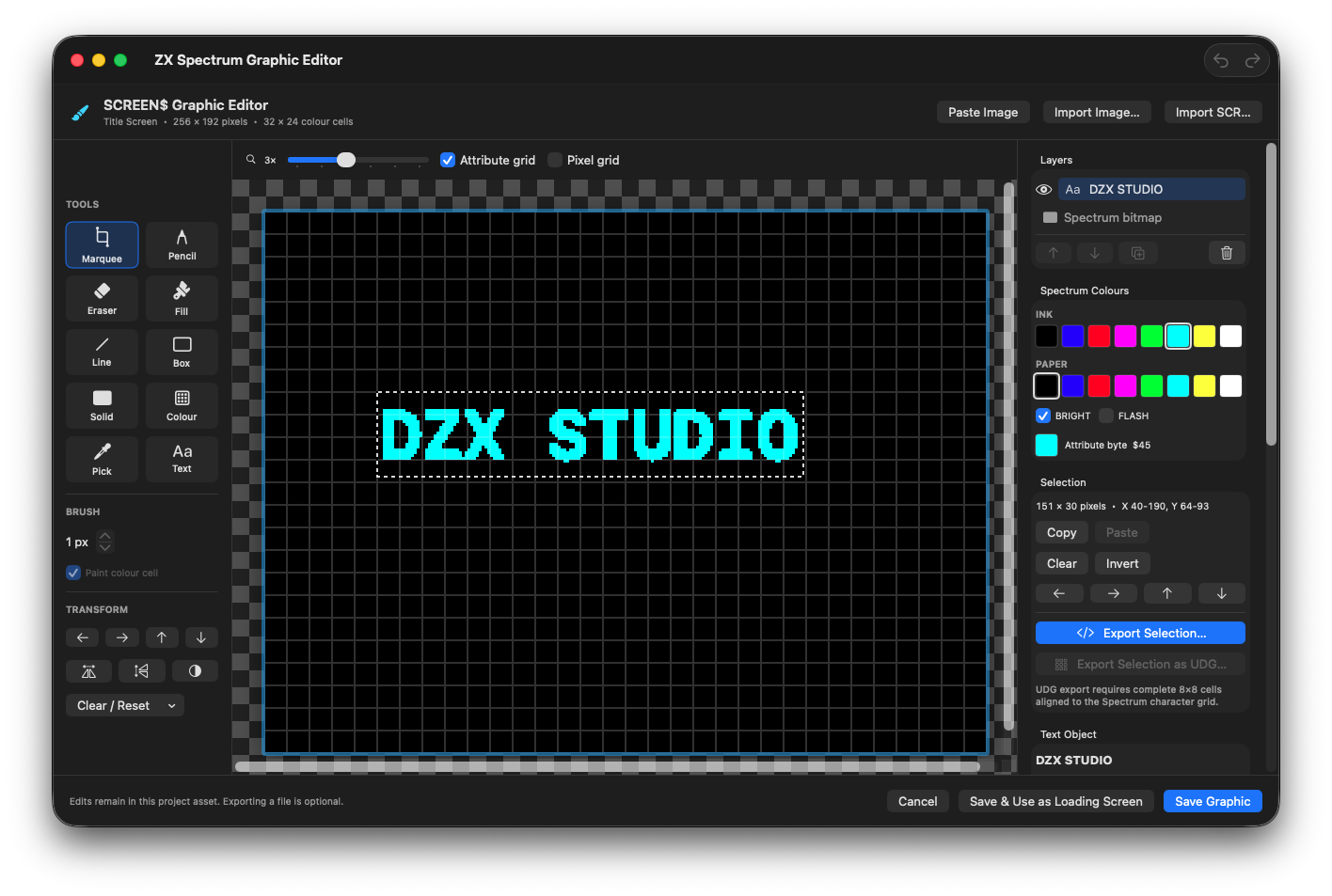
A bright-cyan DZX STUDIO text layer at X 40, Y 64. Its selection, colour palette and 8 × 8 attribute grid remain available before rasterizing.
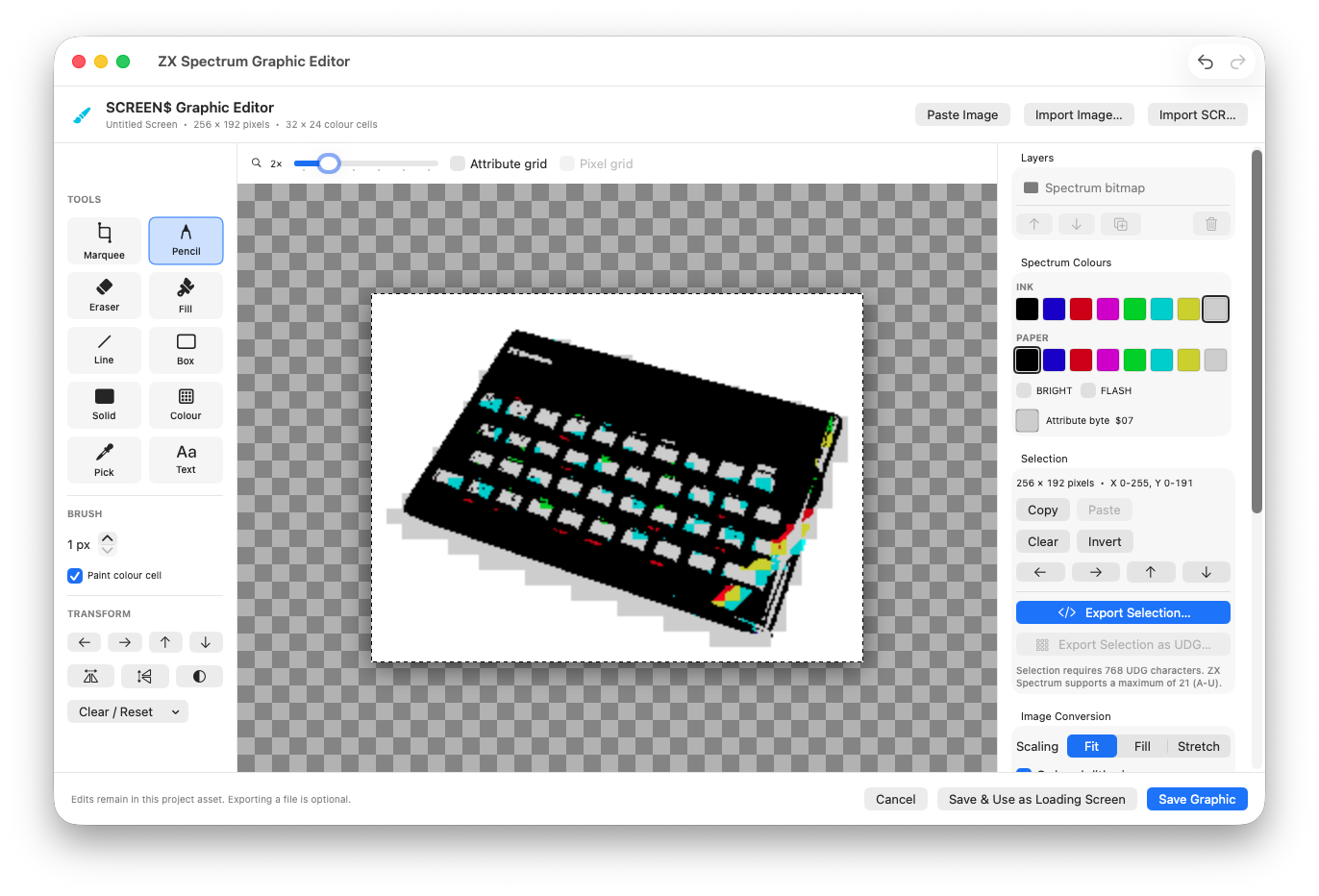
The original ZX Spectrum photograph converted to a 256 × 192 SCREEN$ in the Graphic Editor.
Photograph: Bill Bertram · CC BY-SA 2.5 · Converted to SCREEN$.
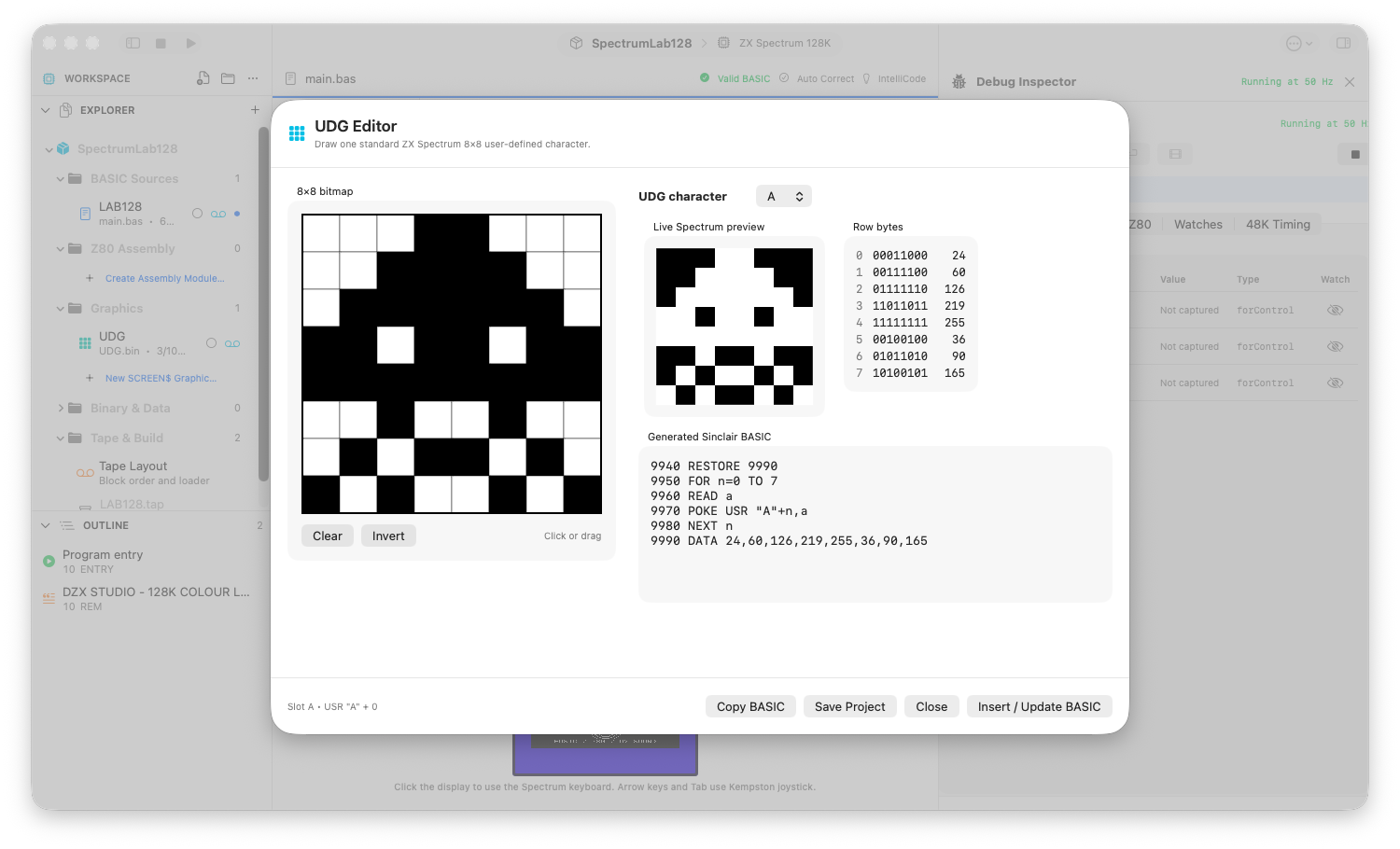
An 8 × 8 UDG, its row bytes, Spectrum preview and generated Sinclair BASIC.
Review checks
A SCREEN$ is exactly 6912 bytes: 6144 bitmap plus 768 attributes.
The preview is upright and colour clash is acceptable.
Generated code uses free BASIC lines or a non-colliding assembly range.
Boundaries
One attribute cell can use one ink and one paper colour.
UDG slots are A–U on the 48K ROM; V–Z are rejected.