Core workflow
- 01
Configure a remote or local provider and keep its credential outside the project.
- 02
Select source or place the cursor, press Command-K and request one observable change.
- 03
Review the typed patch and choose the hunks to keep.
- 04
Apply only after local BASIC/Z80 validation, or Reject without changing the document.
Follow the eight-chapter AI Field Guide → for requests, step-by-step actions and checks in every phase of development.
OPERATIONS & REFERENCE
Configure a provider
Open Configure AI Models. Set Copilot / Corrector for contextual help, Generator for complete programs/modules, and the Game Project Agent model separately. Verify the provider account or local endpoint with a harmless request before sending valuable source.
Command-K context
Place the caret or select a complete block, then press Command-K. The selection focuses the request, but contextual BASIC assistance includes the full current program. State the target, desired result and invariants. Do not assume the assistant also sees every asset or live debugger value.
BASIC and Z80 actions
Use Ask, Fix, Explain, Optimize or Generate for the actual task. Explanations can be advice-only. For ASM, declare origin, entry, clobbers and return behavior; the persisted project target supplies hardware context. A code request does not automatically assemble or execute the result.
Patch and hunk review
Read every removed and added line in the proposed diff. Select the hunks you need, but keep dependent changes together. Check line references, source identity and target. Partial selection can change whether the candidate remains valid, so read the final local validation result.
Apply, Reject and Undo
Apply or Accept commits only an explicitly reviewed valid proposal against its expected source base. Reject leaves the document unchanged. If you edited the source while waiting, request a fresh proposal rather than forcing stale changes. Accepted code changes use the existing Undo workflow.
Full Program Assistant
Use Create with AI for a complete BASIC program. Choose explicitly between a new program and using current source as context. Review replacement of non-empty source. Start with one small playable loop, build it and test its paths before requesting graphics, sound and assembly together.
Game Project Agent
This experimental assistant proposes a structured project with supported BASIC, ASM and graphic resources. Select the target, describe the brief and wait for local manifest/resource validation. Review the proposal before Create New Project. Provider activity is not the same as a validated project or an executed game.
Credential storage
Provider API credentials use macOS Keychain and remain outside portable .zxproj packages. External runtime sessions have their own storage. Configure the receiving Mac separately when moving a project; never embed an API key in source, a prompt example or a support screenshot.
Privacy and redirect safety
Remote services process the context sent to them according to their own policies. The app’s request transport applies its destination and redirect safeguards; do not work around them by disabling protection. Rejecting a proposal does not undo input transmission. Review the site Privacy Policy for the distinct hosting and AI flows.
AI development field guide
Follow /ai-guide for eight worked phases: connect a provider, design a project, edit BASIC, write Z80, prepare graphics, integrate music, debug with evidence and audit export. Each chapter includes example requests, preparation, steps, checks and symptom-specific recovery advice.
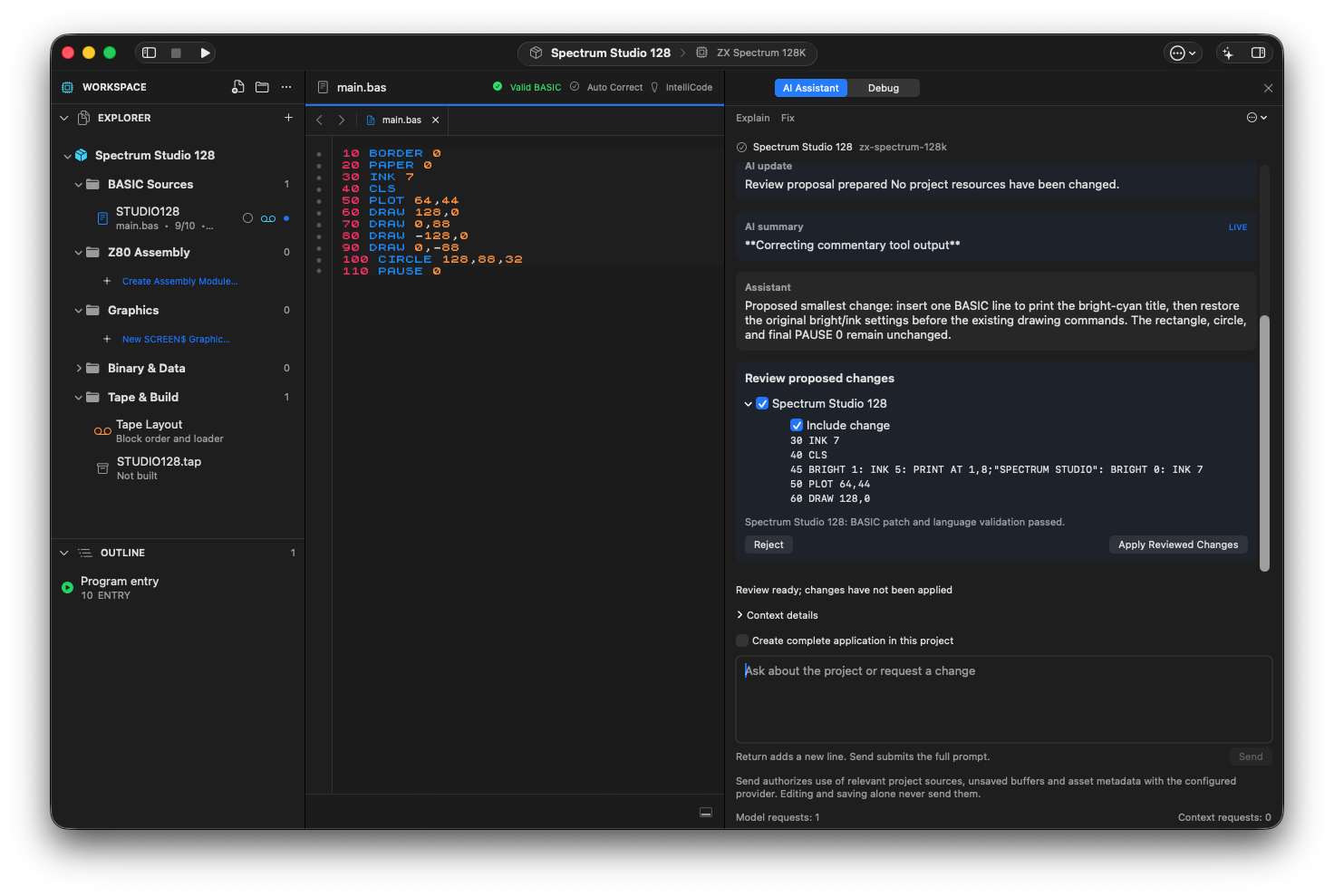
The project assistant proposes one BASIC line for a bright-cyan title. Local validation has passed; Apply Reviewed Changes is still a separate action.
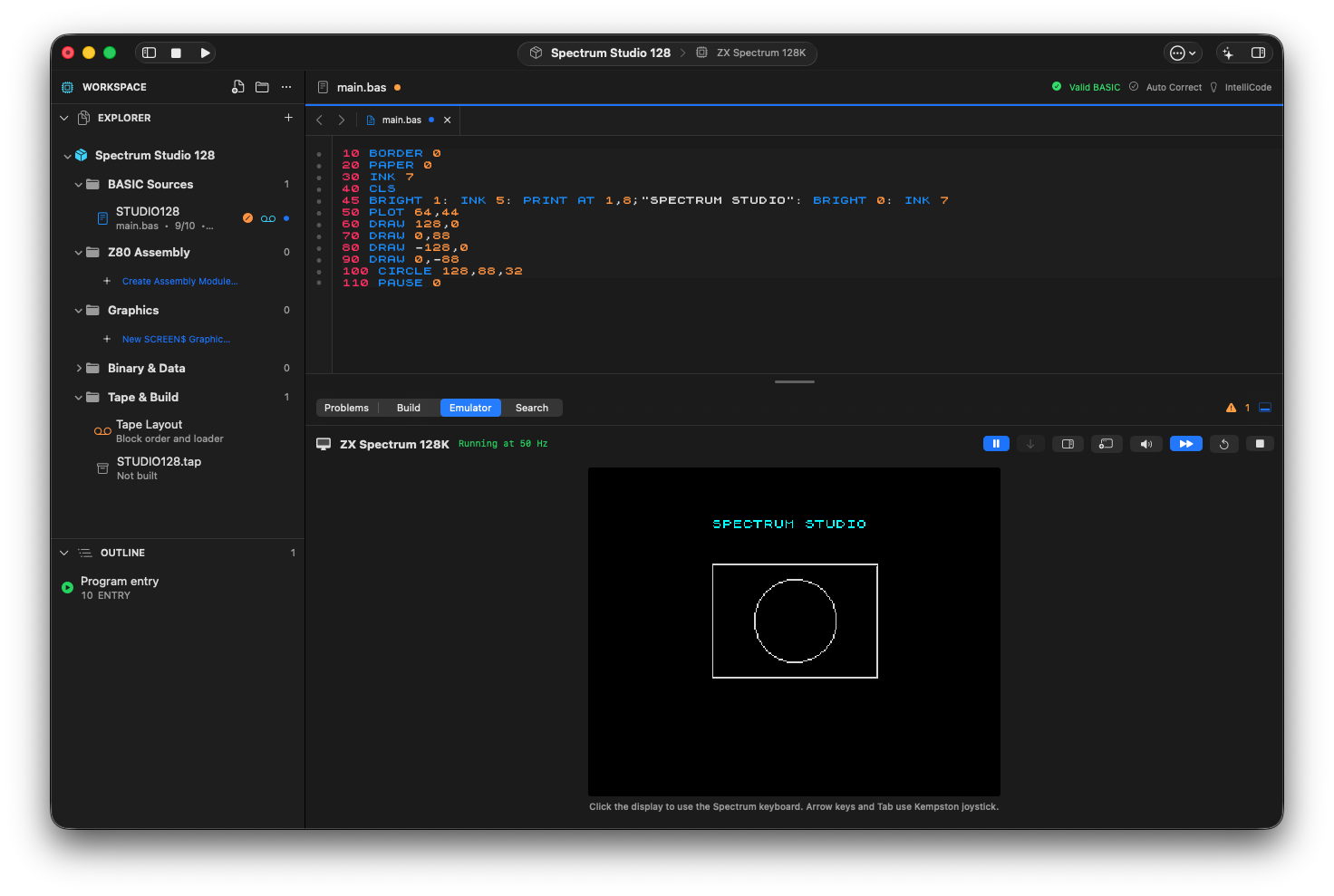
The approved title change running on the 128K target, with the original rectangle and circle preserved.
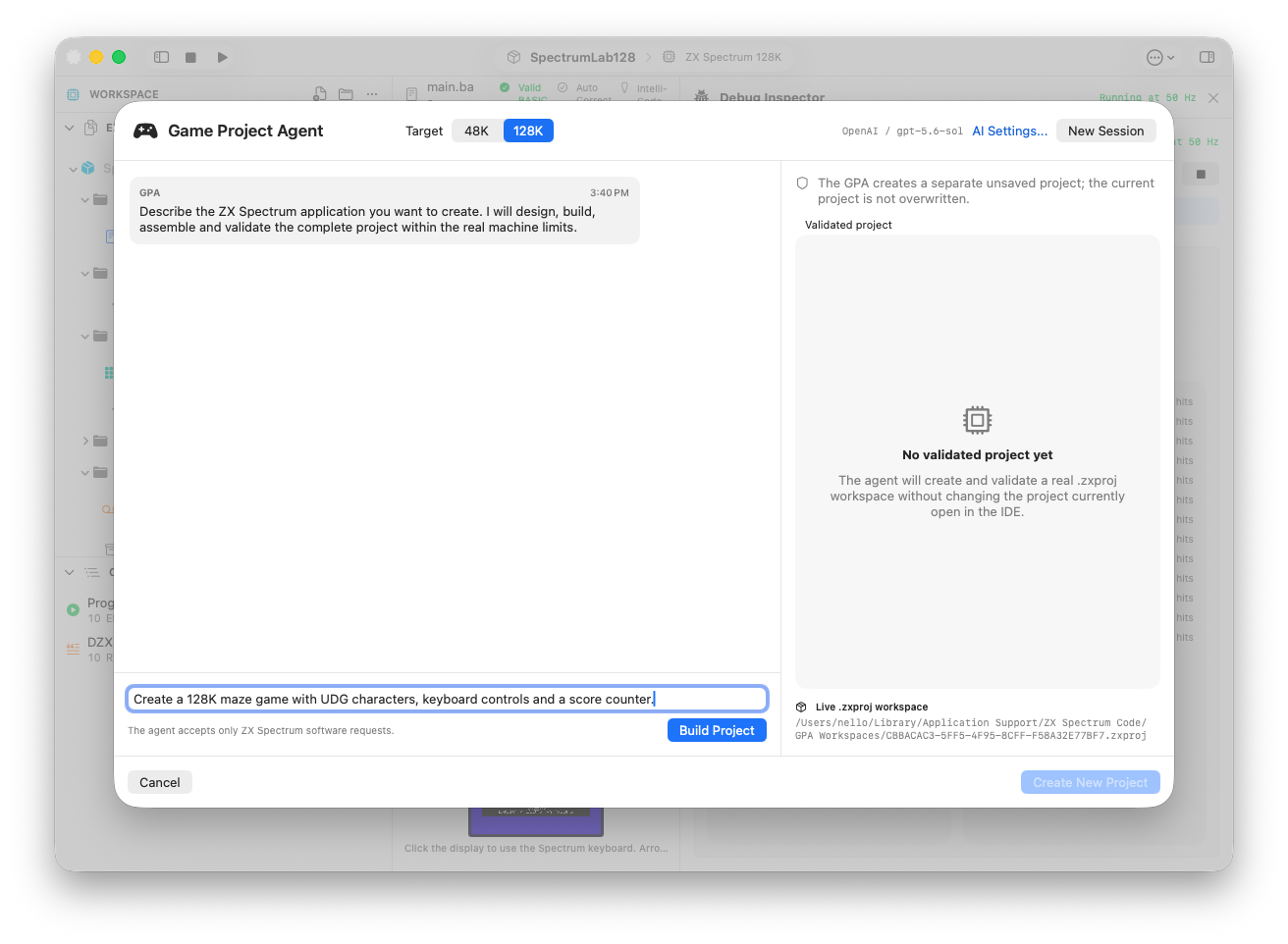
The experimental Game Project Agent: a 128K brief ready to submit, with the separate project validation area alongside it.
Review checks
The proposal target matches 48K or 128K.
The current source still matches the proposal base at apply time.
Accept creates one Undo transaction.
Boundaries
Network providers receive the prompt content you explicitly send.
Advice-only responses do not manufacture empty code changes.