Core workflow
- 01
Create a project from the welcome screen and choose 48K or 128K before selecting a template.
- 02
Save the package before the first build; source can be saved even while it contains errors.
- 03
Open documents from the Navigator or Quick Open, and use split groups when two sources must stay visible.
- 04
Create a Local History snapshot before a risky multi-file change; review the diff before restoring.
OPERATIONS & REFERENCE
Create 48K and 128K projects
Choose New Project, select the machine and then a template. Save the new .zxproj before the first build. Check the target in the project header: selecting a different running machine is not a substitute for changing the saved project target.
The .zxproj package
The package contains project metadata, editable sources and project-owned assets. Copy or archive the complete package, not just project.json. Keep a separate backup before moving or converting a working project. API keys and machine-local AI settings are not included.
Tabs and split editors
Open related sources in separate editor groups, move tabs where useful, and use the explicit group-close action when a split is no longer needed. Watch the dirty indicator before closing. Reopen Closed Tab restores navigation; it is not a replacement for saving unsaved work.
Quick Open and Command Palette
Use Navigate → Quick Open to locate a project resource by name, or Command Palette to find an IDE action. Prefer the menu labels when keyboard focus makes a shortcut ambiguous. Project search answers where text occurs; Project Symbols answers where a named definition lives.
Build and Run configurations
Select the intended build and Run/Debug configuration before generating evidence. Review target, tape artifacts and warning policy. A strict profile can promote warnings that the default policy treats as advisory; do not assume identical behavior across differently configured runs.
Autosave and interrupted-save recovery
Command-S saves editable source even when it has errors. If a save fails, preserve the open document and retry to a writable destination. Use Recover Interrupted Save for a reported interrupted transaction; do not overwrite the only recoverable package with an older export.
Local History
Create a checkpoint before a risky refactor or AI edit. Compare the selected history entry with the current source and review the proposed restoration before applying it. Local History helps recover earlier work; it is not an integrated Git workflow or an off-device backup.
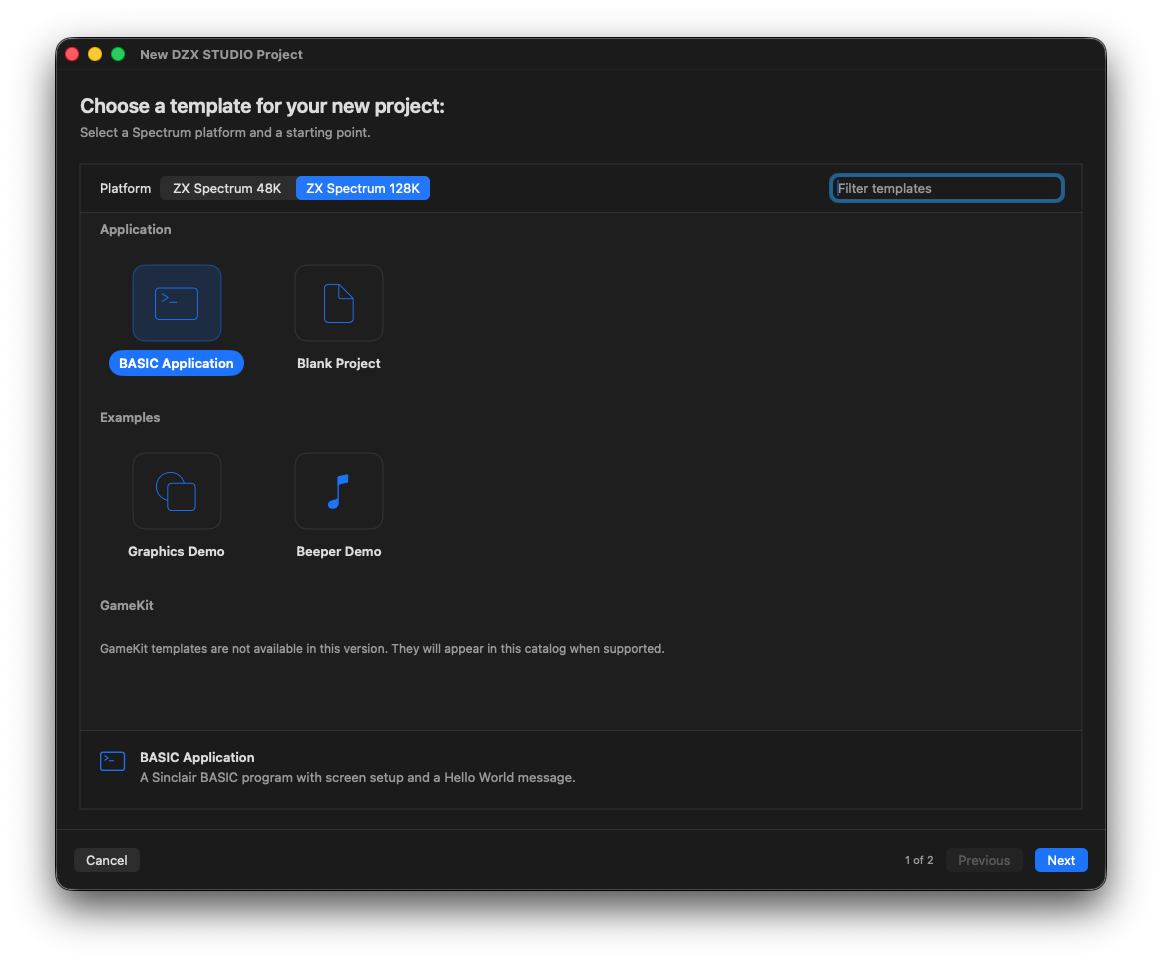
Choose a 48K or 128K target, a blank project or an editable example.
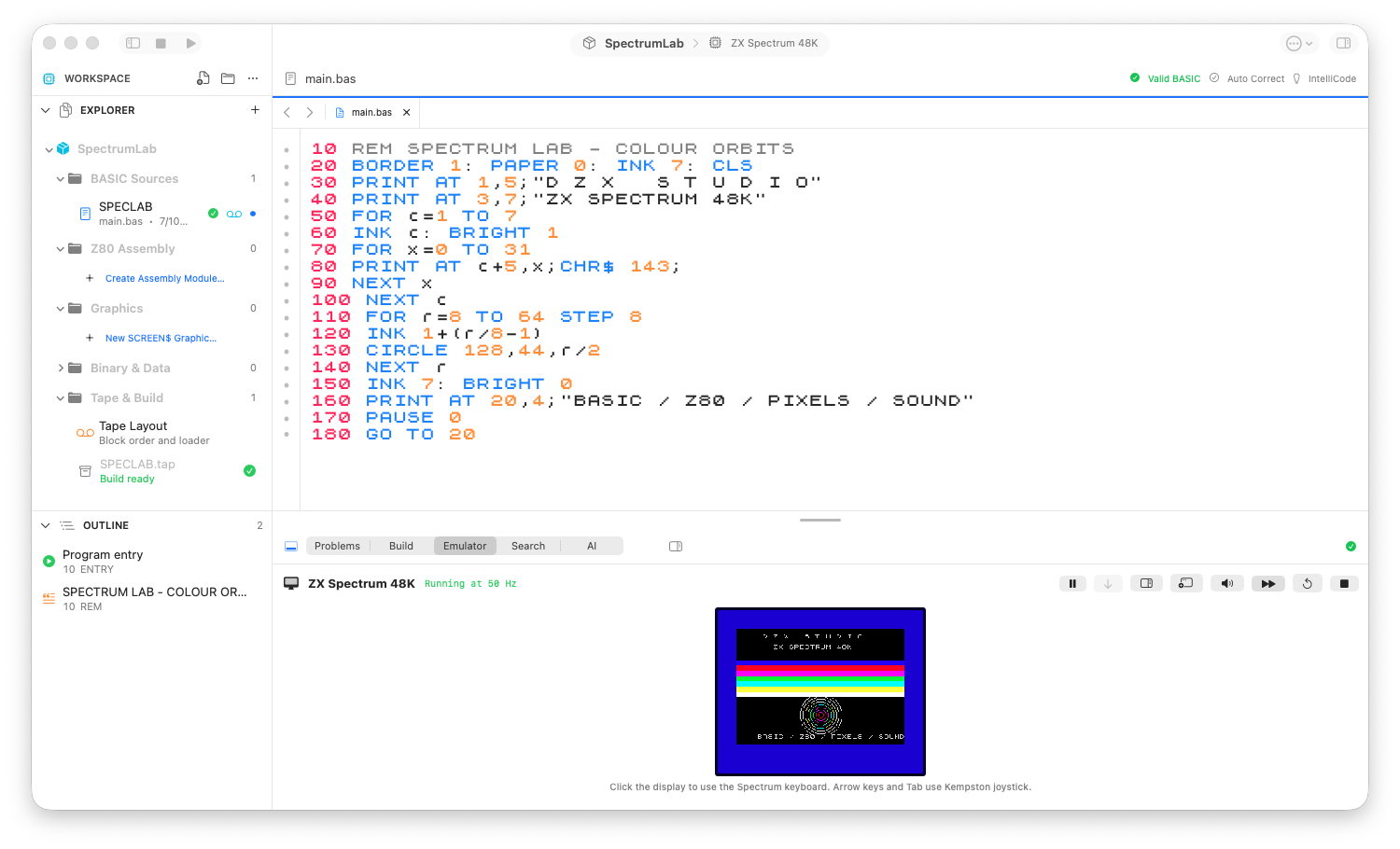
The 48K workbench: project navigator, syntax-aware source and the running program.
Review checks
The window header names the project and persisted target.
Dirty tabs and the document-modified state agree.
A reopened project restores its sources, assets and supported workspace settings.
Boundaries
A .zxproj is a package, not a single BASIC listing. Copy the whole package.
Credentials and machine-local AI preferences are deliberately excluded.