Core workflow
- 01
Create a composition and one or more named patterns.
- 02
Enter notes with the virtual piano, computer keyboard or MIDI; use the 1.6 Piano Roll to move/resize and Events for exact ticks.
- 03
Arrange pattern occurrences or record a timed take; Insert changes notes, Keep Take preserves a draft.
- 04
Review generated BASIC or ASM, then explicitly create or link the source.
OPERATIONS & REFERENCE
Compositions and patterns
Create a composition for the project target, set tempo and add a pattern with an explicit length. At 480 ticks per quarter, a 1920-tick pattern holds four quarter notes. Keep notes within the pattern boundary before applying a shorter length.
Piano roll
In 1.6, choose Piano Roll in Score view. Drag a note to move its pitch/start; drag its right edge to resize. Double-click empty grid space to insert. Grid controls Voice, Snap, Zoom and Follow playback. Use Events for exact values. Changes remain part of the composition’s Undo history.
Pattern order
Repeat in Order adds another occurrence of the same pattern, so edits affect every occurrence. Duplicate Pattern makes an independent variation. Move Earlier/Later rearranges occurrences; Remove this occurrence differs from deleting the pattern itself. Review the order before exporting a whole composition.
Realtime piano
Focus the piano before playing computer keys. With Octave 4, A/W/S/E/D/F/T/G/Y/H/U/J map to C/C♯/D/D♯/E/F/F♯/G/G♯/A/A♯/B. Step input uses the selected note duration instead of your key-hold time. Play, Pause, Resume and Stop control the preview.
MIDI input
Connect a supported MIDI source and select it in Music Studio. Check input activity and audible notes, then make a short test recording before a long take. If the device disconnects or the window is reactivated, check connection state before assuming notes are being captured.
Timed recording
Start recording and play a short phrase. Stop and inspect the raw take, timing and proposed insertion. Recording the performance does not immediately replace the pattern. The current single-voice capture path does not promise sustain-pedal or pitch-bend recording.
Review recorded notes
In Review Take, select an unwanted note or notes and delete them before insertion. The remaining notes keep their original timing. Recheck the insertion preview after an edit so an older plan does not reintroduce removed notes. Use the recording Undo transaction to reverse an accidental deletion.
Keep Take drafts
Choose Keep Take when the performance should remain in the project without becoming pattern notes yet. Reopen its review later, adjust the insertion decision and accept deliberately. A retained raw take and an already inserted pattern are separate editable states.
Generate BASIC
Choose BASIC → Generate BASIC and review the target-specific BEEP or PLAY listing. Create BASIC Source produces a separate source resource. Music edits make earlier generated output stale: regenerate and review instead of assuming preview playback updates the program automatically.
Link music to main
Use BASIC → Link latest source to main and review the proposed GO SUB number. Confirm Link to Main BASIC, then write the actual call at the desired point in main.bas. Do not add the linked music source as a separate BASIC tape program. BEEP/PLAY block while the phrase plays.
Generate target-aware ASM
Review the generated ASM and its declared player, addresses and target constraints, then create the source. Assemble and Accept & Use Binary are still separate steps. Test the return contract where applicable and use the complete project runtime to verify final playback.
Target conversion
Convert creates a new composition and retains the original. For 128K → 48K, choose Keep a voice, Highest note priority or Lowest note priority and read the omitted/shortened/split-note counts. Compare Listen to Original and Listen to Copy before Create Converted Copy. The project target and generated sources do not change automatically.
AY effects export
The BASIC PLAY exporter supports specific ROM-compatible envelope, mixer and noise arrangements. Shared-resource conflicts or unrepresentable effects are reported instead of silently changing the score. Inspect the diagnostic and compare actual playback. Choosing ASM does not remove conflicts in the physical AY hardware.
Data-only export
Player-free music data export emits music data for a separately supplied player; it is not a complete callable playback routine. Review the data format and player contract before integrating it. Do not jump into data bytes with RANDOMIZE USR and expect music.
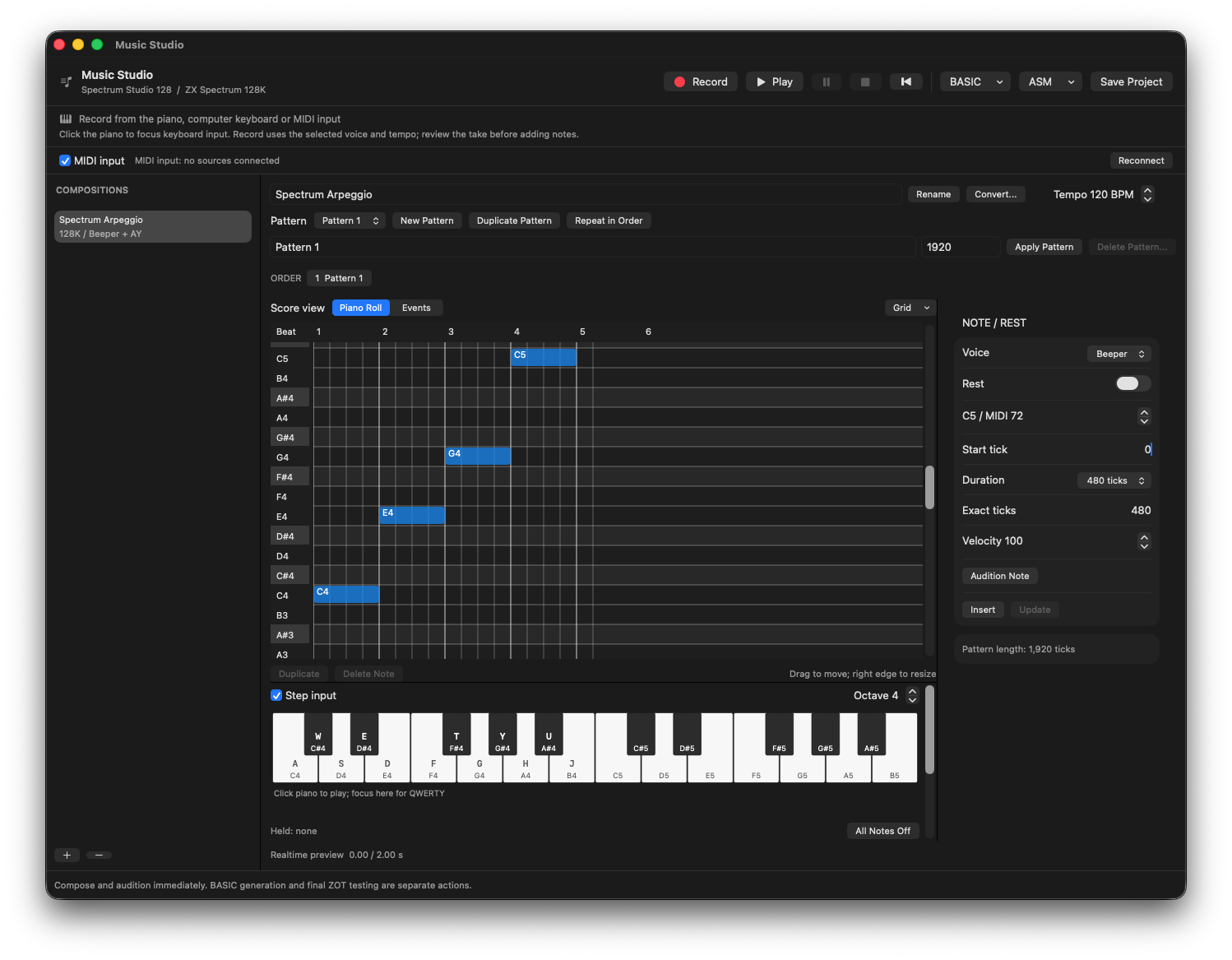
C4, E4, G4 and C5 entered with Step input: four quarter notes at 120 BPM, with exact timing alongside the grid.
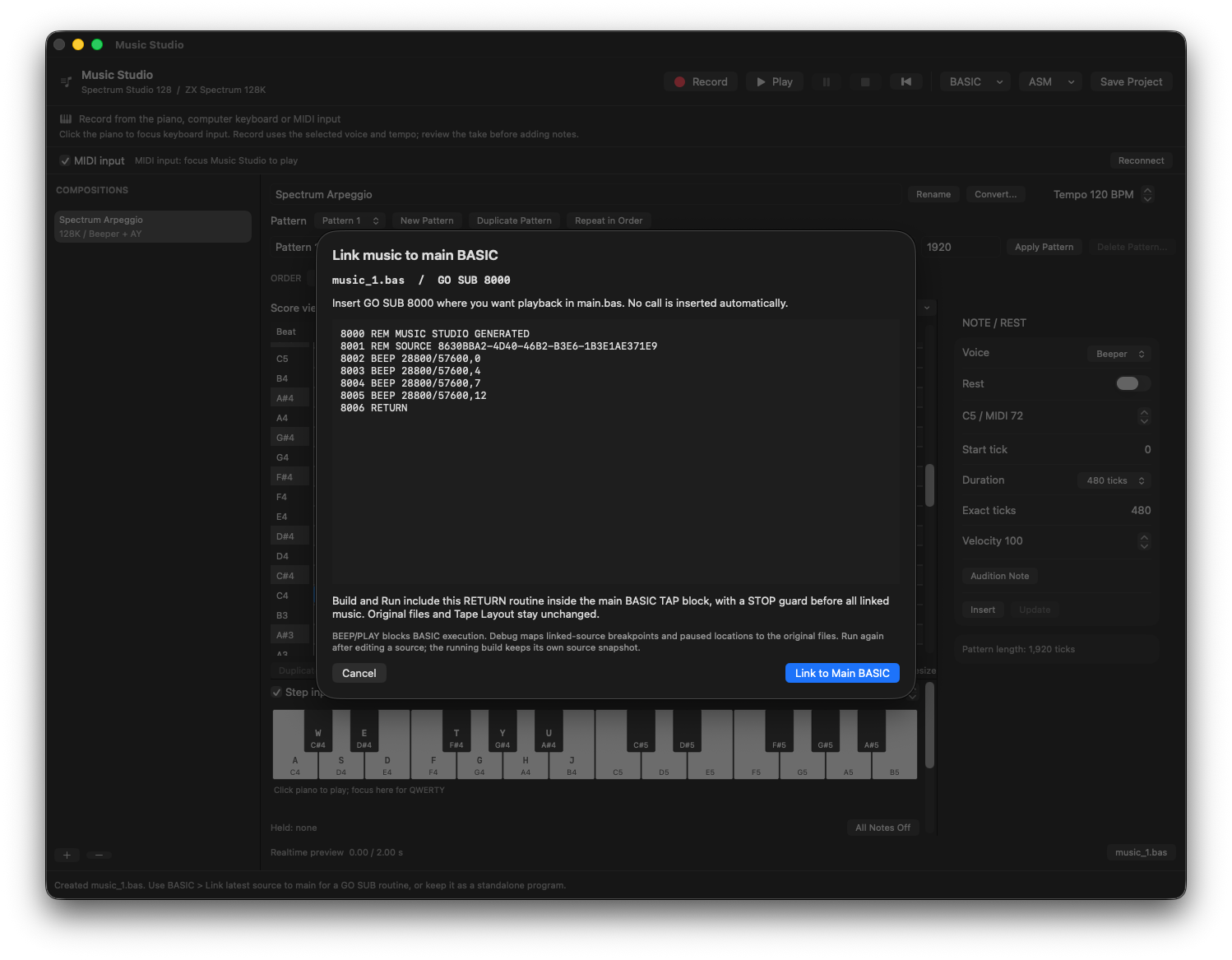
The generated phrase becomes a RETURN routine at GO SUB 8000. Linking does not insert a playback call into main.bas.
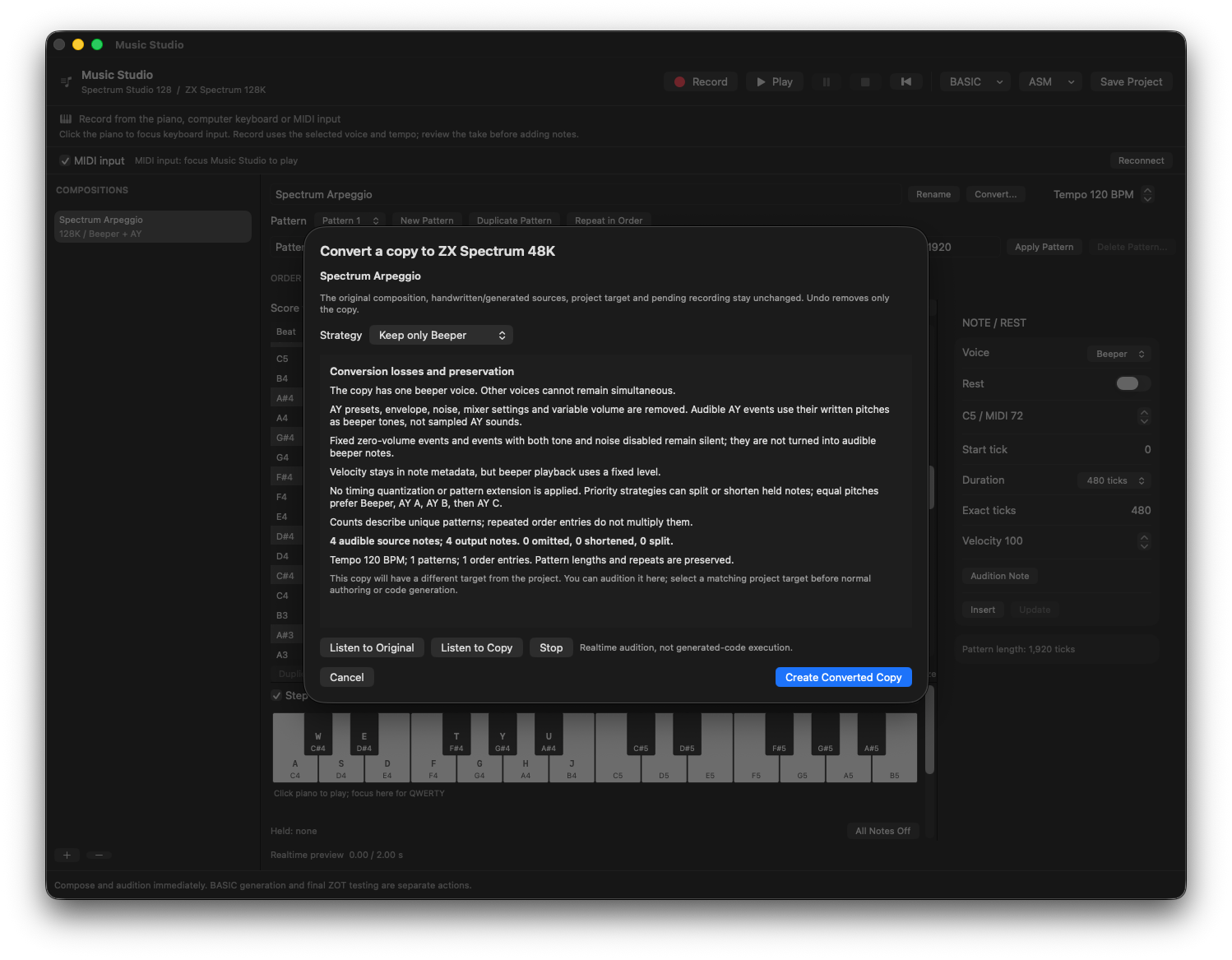
Keep only Beeper preserves all four notes in this 48K conversion preview. Review losses and audition the copy before creating it.
Review checks
The composition target matches the project machine.
Pattern edits and generated-source installation remain undoable.
Generated source is marked stale after relevant music changes.
Boundaries
BEEP and PLAY block BASIC execution.
Sustain and pitch bend are not captured by the current single-voice recording path.