WHERE IN THE IDE
Tools → Create Machine Code → Generate with AI; ASM editor → Ask Copilot
Before you start
- Use a saved project and a free module range; 32768 is only an example, not a universal safe address.
- Decide entry label, inputs, clobbered registers, preserved registers and return behavior.
- Keep a known-good accepted binary until the replacement is tested.
ASM assistance uses the persisted project target, module details and routine contract. On 128K, a logical address alone does not identify the physical RAM bank.
STEP 01
Define a small callable routine
Create a module in Machine Code Studio. Use the actual free origin shown by your project memory map. For this example the routine changes the border to red and returns; it does not modify screen memory or install an interrupt handler.
Generate one SJAsmPlus Z80 module for ZX Spectrum 48K.
Example origin: 32768; entry label: main. I will verify this range is free.
Set border colour 2 through port 254 and return to BASIC with RET.
Preserve IY and the caller stack; declare any other clobbered registers. No interrupt handler, file access, INCLUDE, scripts or external binary data.
Explain the port side effects and calling contract. Do not assemble, run or claim a successful test.
STEP 02
Keep source generation separate from execution
Generate with AI creates editable assembly source. Read it before Assemble. Use F1 on instructions you do not understand and compare the declared clobbers to the actual code. For existing ASM, use contextual Copilot to request a minimal patch instead of regenerating the whole module.
STEP 03
Assemble and inspect placement
Assemble the source with bundled SJAsmPlus. Inspect diagnostics, byte size, symbols and memory collisions. External file reads, scripts and arbitrary outputs are intentionally blocked; do not bypass those guards to make a model-generated module build.
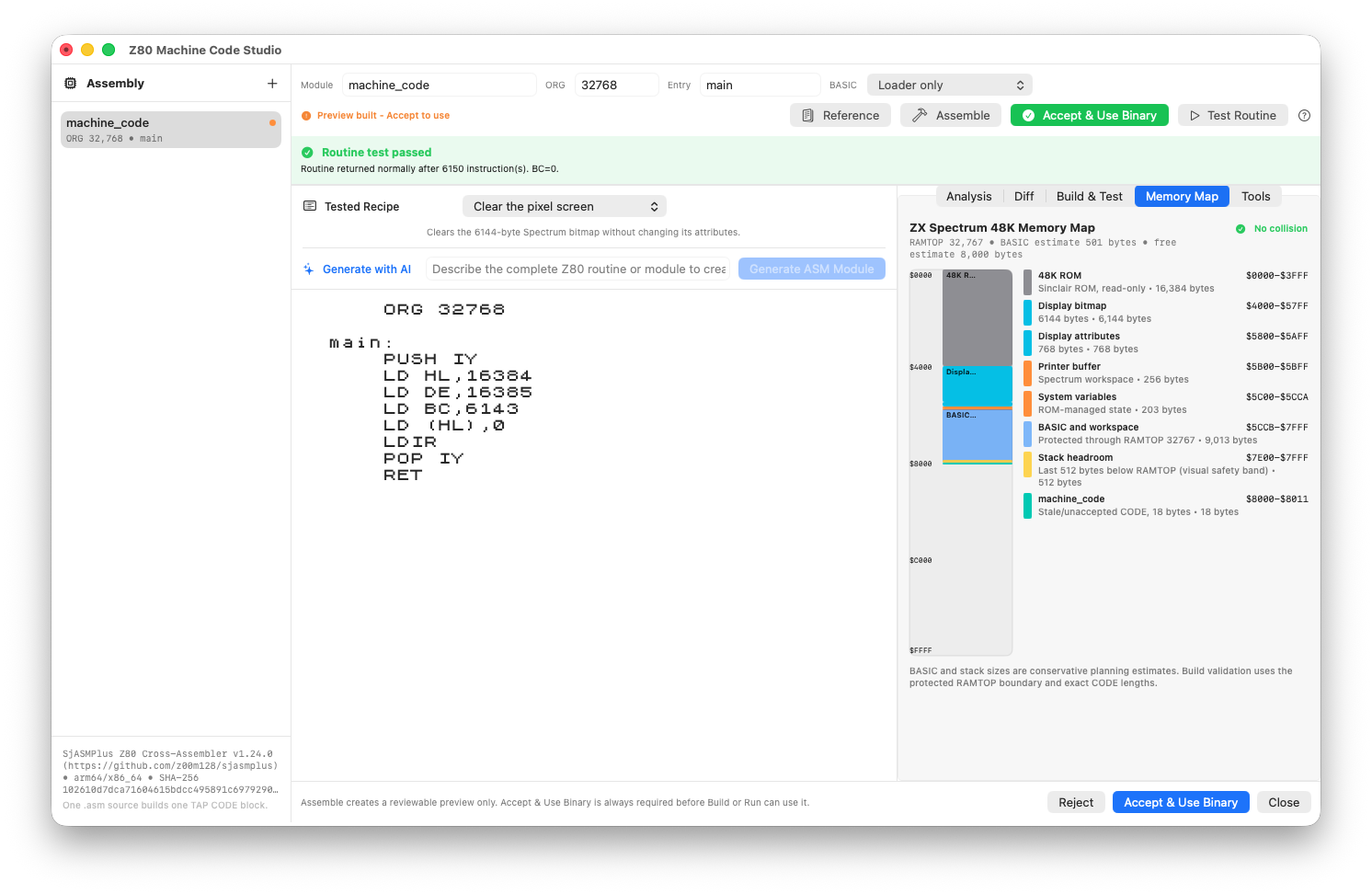
Inspect the assembled preview against the machine memory map before accepting it.
STEP 04
Run the isolated test deliberately
Choose Test Routine. In the 1.6 runner, read simulated time, instruction count and PC. Pause retains CPU and RAM; Continue resumes that state. Stop ends the test as inconclusive. The automatic safety pause after 30 seconds of host execution is not a failed routine or a musical-length limit.
The border routine should return normally with the caller stack intact. A long-running player needs a different expectation than this tiny RET routine.
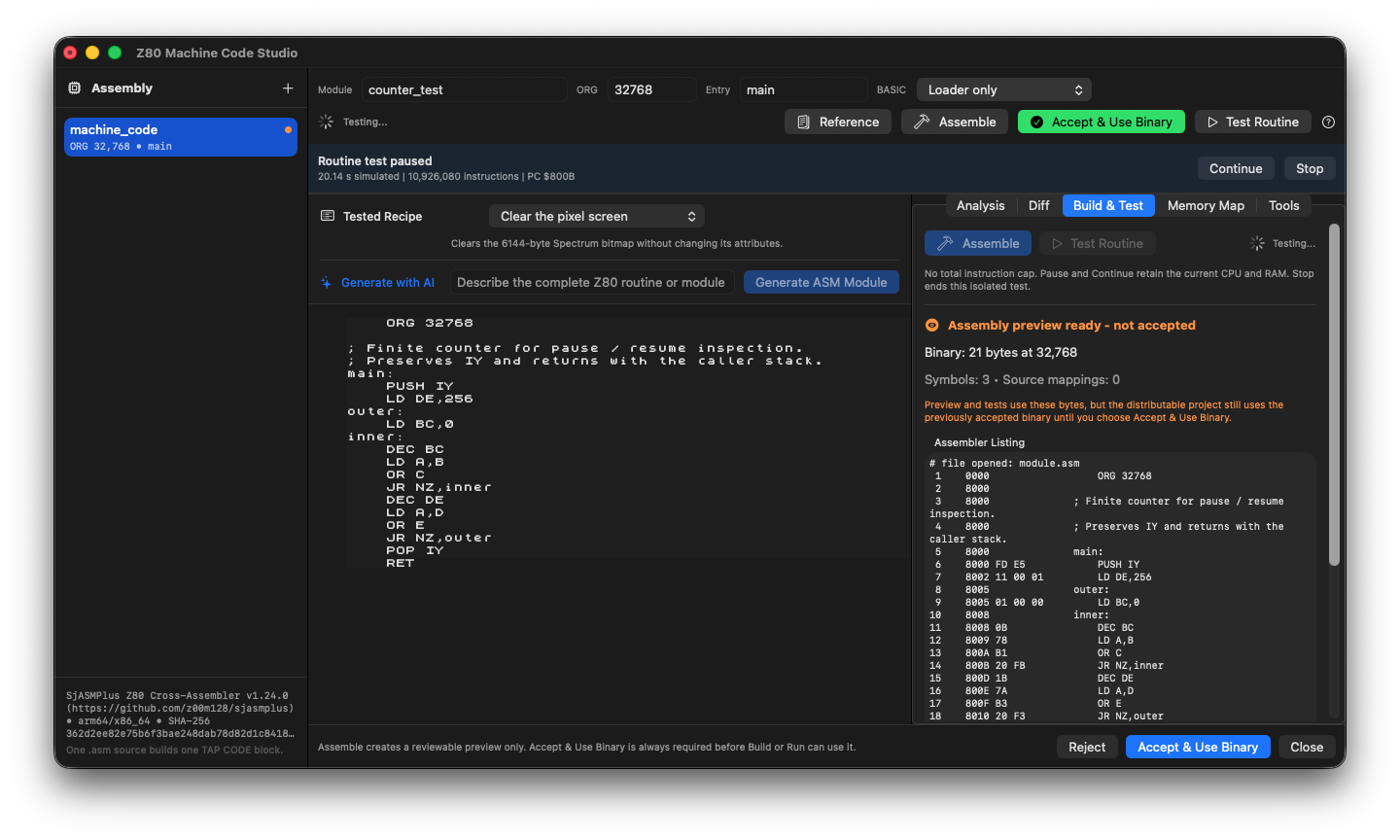
The isolated counter test paused at PC $800B after 10,926,080 instructions. Continue resumes the test; accepting the assembled binary remains a separate decision.
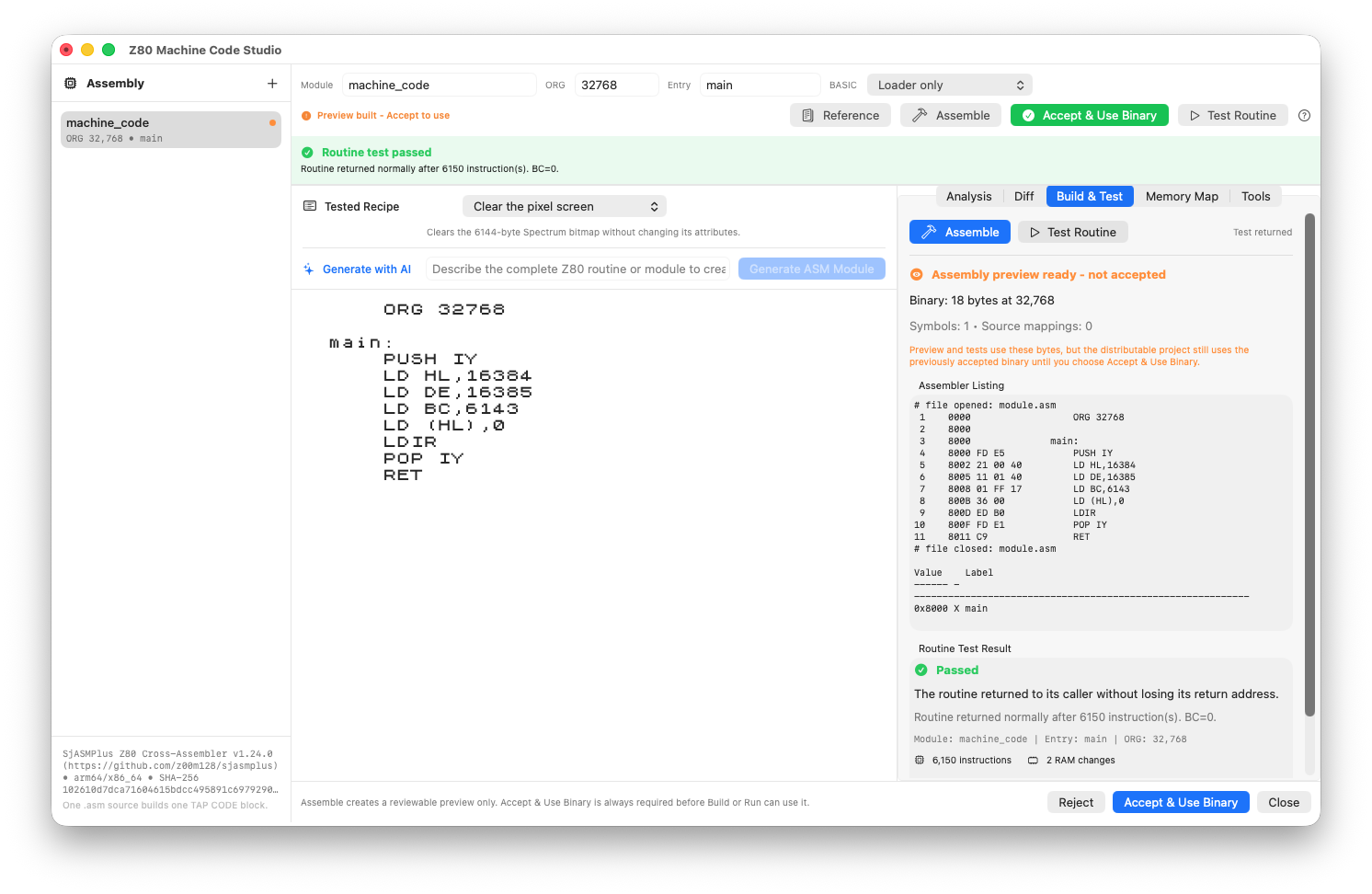
A screen-clearing Z80 routine, its assembled listing and a passed routine test. Acceptance remains a separate action.
STEP 05
Accept the binary, then integrate BASIC
Only after review use Accept & Use Binary. Review the generated BASIC integration, including CLEAR, LOAD CODE and RANDOMIZE USR. Build the complete TAP and verify that execution returns to the next BASIC line. An isolated test does not add the routine to tape for you.
STEP 06
State the extra 128K constraints
For a banked module, repeat the actual physical bank, window address and caller paging contract in the request. Do not ask the model to guess a bank from $C000. Review the banked loader and test from the intended caller configuration.
Before editing this 128K routine, list the placement and paging facts you need. Do not assume the current RAM bank from a logical address. Preserve caller paging and stack; do not change project target or accepted CODE placement. Explain which tests would demonstrate the contract, without claiming they have run.If something goes wrong
- The test pauses automatically
- Read PC and progress. Continue if the routine is legitimately long; inspect loops and return paths if not. A pause is not proof of failure.
- Assembly succeeds but Test Routine fails
- Check entry address, stack, return instruction and target/bank contract before asking for a rewrite.
- The debugger highlights old source
- Reassemble and refresh the accepted output/source map. Do not diagnose current source using an older binary.
READY TO MOVE ON?
Check the result, not just the response.
- Source, assembled preview and accepted binary are consciously separate.
- The routine returns under the intended contract.
- The complete project loads and calls the accepted code correctly.