WHERE IN THE IDE
Tools → Music Studio; BASIC → Generate BASIC / Link latest source to main; Command-K in main.bas
Before you start
- Use a 48K beeper composition for the first exercise; choose 128K explicitly for AY.
- Create one 1920-tick pattern at 120 BPM. A quarter note is 480 ticks.
- Keep the generated music source separate from handwritten main-program logic.
Music Studio’s BASIC/ASM generators are deterministic tools, not AI composers. The code assistant does not automatically edit the piano roll or replace native composition data.
STEP 01
Ask for a note plan, not imaginary controls
Use an advisory AI request to obtain a short phrase that you can enter and hear. Set the timing and monophonic constraint explicitly.
Plan a short ZX Spectrum 48K beeper success jingle.
One monophonic voice, 120 BPM, pattern length 1920 ticks, 480 ticks per quarter note.
Use C4, E4, G4 and C5, four consecutive notes of 480 ticks at starts 0, 480, 960 and 1440.
Return a note table and explain why it fills the pattern without overlap. Do not claim to edit Music Studio or generate background polyphony.
STEP 02
Enter and shape the phrase
In Music Studio use Step input or enter the notes with explicit start/duration values. In 1.6, choose Piano Roll: drag a note to change pitch or start, drag its right edge to resize, or double-click empty grid space to insert. Grid controls Voice, Snap, Zoom and Follow playback. Switch to Events to inspect exact ticks.
The four notes occupy 0–1920 ticks without overlap. Play should sound the phrase; a moving playhead alone is not proof of audible output.
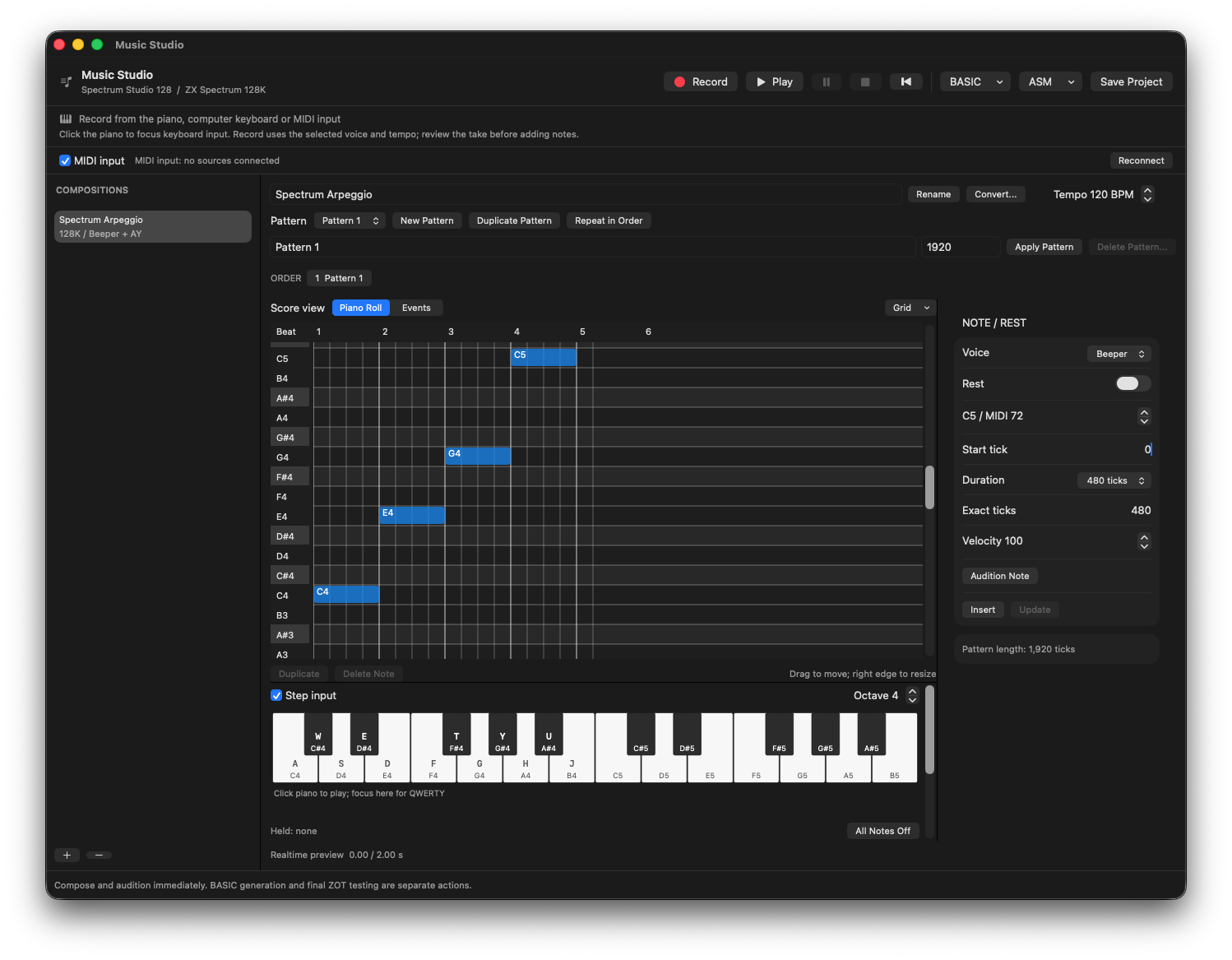
C4, E4, G4 and C5 entered with Step input: four quarter notes at 120 BPM, with exact timing alongside the grid.
STEP 03
Review a recorded alternative
If you play the phrase from computer keys or MIDI, stop recording and inspect Review Take. Delete unwanted recorded notes without shifting the others. Insert accepts the timing into the composition; Keep Take stores a draft for later. A raw take and the edited pattern are different objects.
STEP 04
Generate and link the native source
Choose BASIC → Generate BASIC and review the result, then Create BASIC Source. Use BASIC → Link latest source to main and review the actual proposed GO SUB line. If the preview says GO SUB 8000, that is a BASIC line number, not RAM address 8000. The linked routine belongs inside the main build image; do not also add it as an unrelated BASIC tape program.
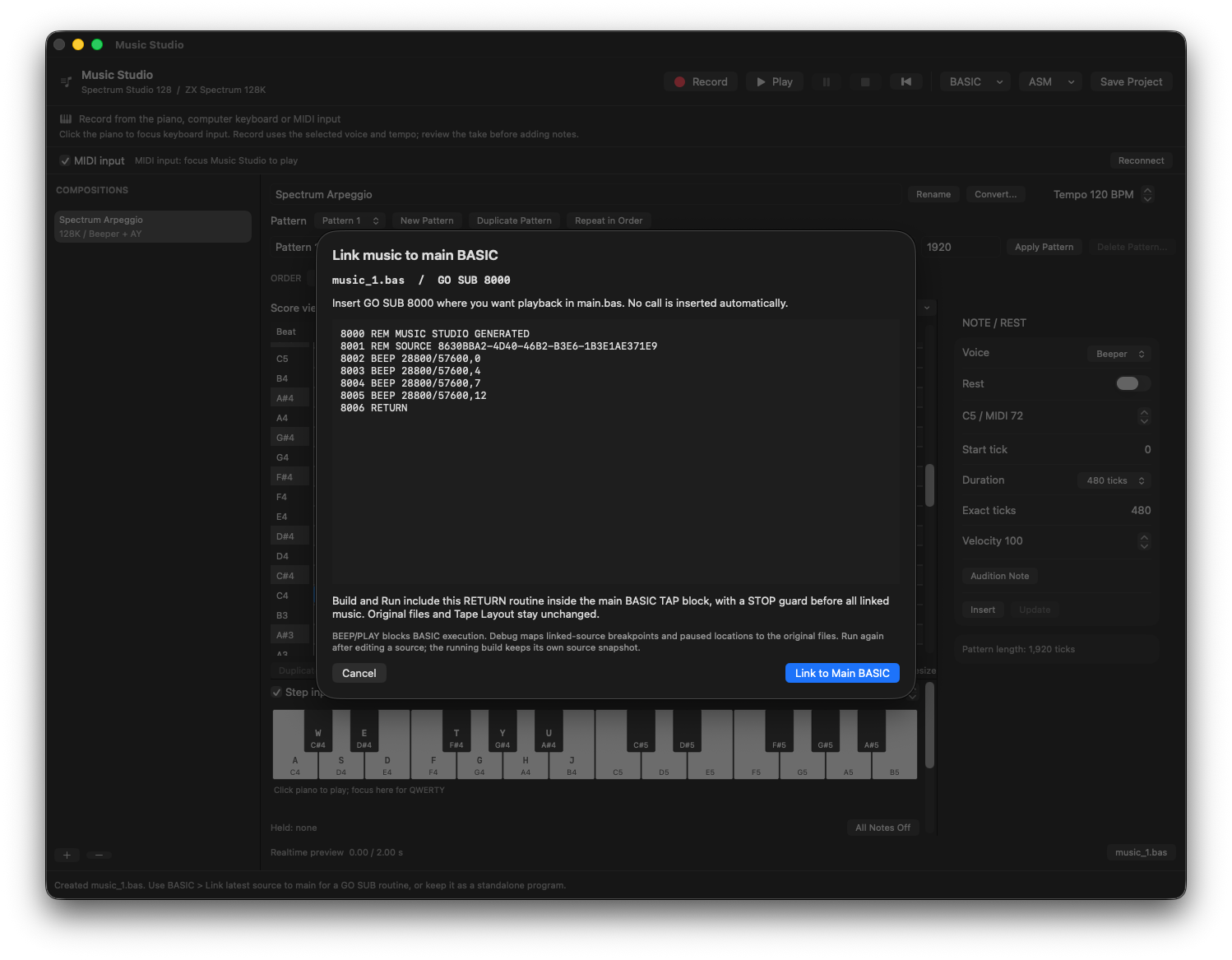
The generated phrase becomes a RETURN routine at GO SUB 8000. Linking does not insert a playback call into main.bas.
STEP 05
Ask AI for one call-site change
Open main.bas and select the win branch. Include the exact call contract from the link preview in your request. Keep generated music source under Music Studio’s ownership.
Target: ZX Spectrum 48K. Edit only the selected win path in main.bas.
I have explicitly linked a music routine; the reviewed call is GO SUB 8000 (replace this with my actual preview value).
Call it once after the win message and before the existing replay question. Do not edit generated music files, renumber the program or add a separate TAP block.
BEEP is blocking; the input loop may wait for the jingle. Preserve the losing path. Return a minimal patch.
STEP 06
Handle AY and conversion deliberately
On 128K, PLAY can export supported AY effects, but shared envelope/noise conflicts can block a score. Read the diagnostic instead of asking AI to drop a voice silently. Convert creates a new composition and shows losses for 128K → 48K; it does not change the project target. Data-only ASM export contains no player. After music edits, regenerate and review the source/link before the final build.
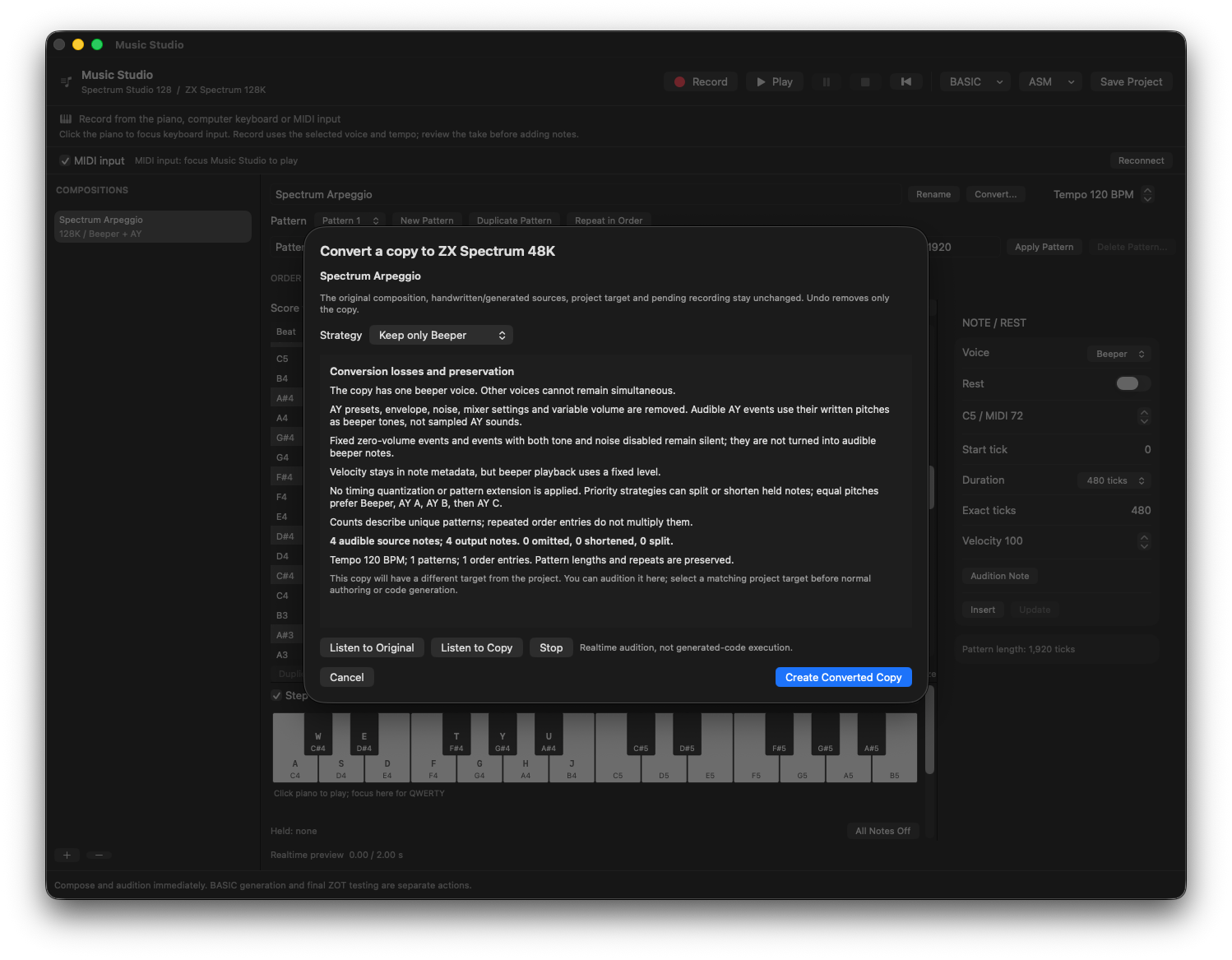
Keep only Beeper preserves all four notes in this 48K conversion preview. Review losses and audition the copy before creating it.
If something goes wrong
- The game pauses during music
- BEEP and PLAY are blocking. For true background music you need an explicit player/scheduling design, not a claim that a BASIC call is asynchronous.
- The piano changed but the TAP sounds old
- Regenerate the source, review the latest link and rebuild. Preview state does not automatically replace generated artifacts.
- A 128K score will not export to BASIC
- Read the specific shared-resource or ROM encoding conflict. Consider the ASM path only after checking the actual hardware constraint; ASM cannot create extra AY hardware.
READY TO MOVE ON?
Check the result, not just the response.
- The native composition sounds as intended.
- The win path calls the reviewed routine exactly once and returns.
- The current TAP includes the refreshed generated code.