Create a composition
Open Music Studio and create a composition for the project target. Add a first pattern and notes with the piano.
Build an arrangement
Duplicate or create a second pattern and order the occurrences. In the 1.6 Piano Roll, drag notes to move them and their right edge to resize; Grid controls snap and zoom. Use Events to inspect exact ticks. Pattern edits remain undoable.
Record if useful
Record computer-key or MIDI input. Review timing, then Insert or Keep Take as a draft without modifying notes.
Generate deliberately
Review generated BASIC or target-aware ASM. Link a BASIC routine to main.bas explicitly; no call is inserted behind your back.
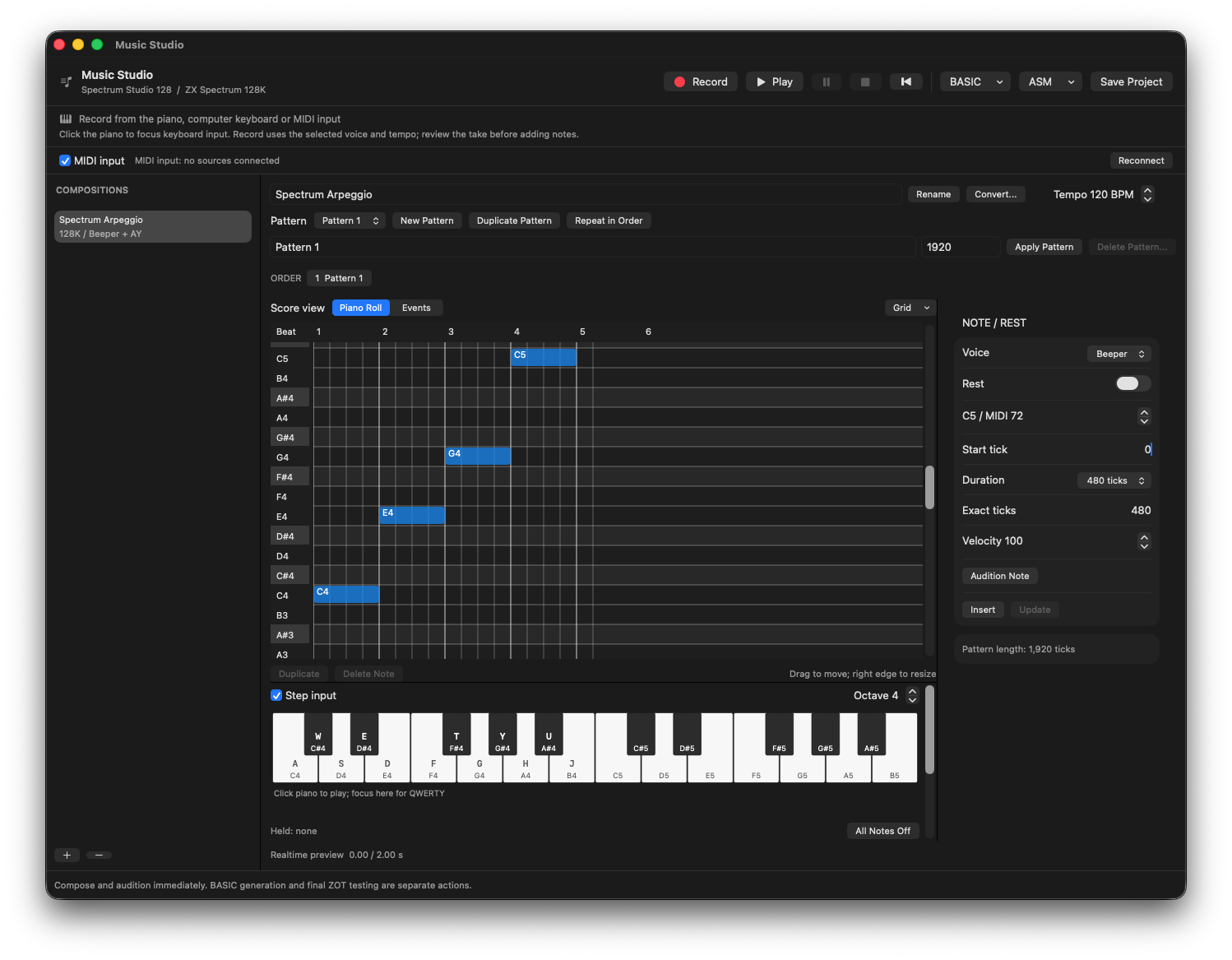
C4, E4, G4 and C5 entered with Step input: four quarter notes at 120 BPM, with exact timing alongside the grid.
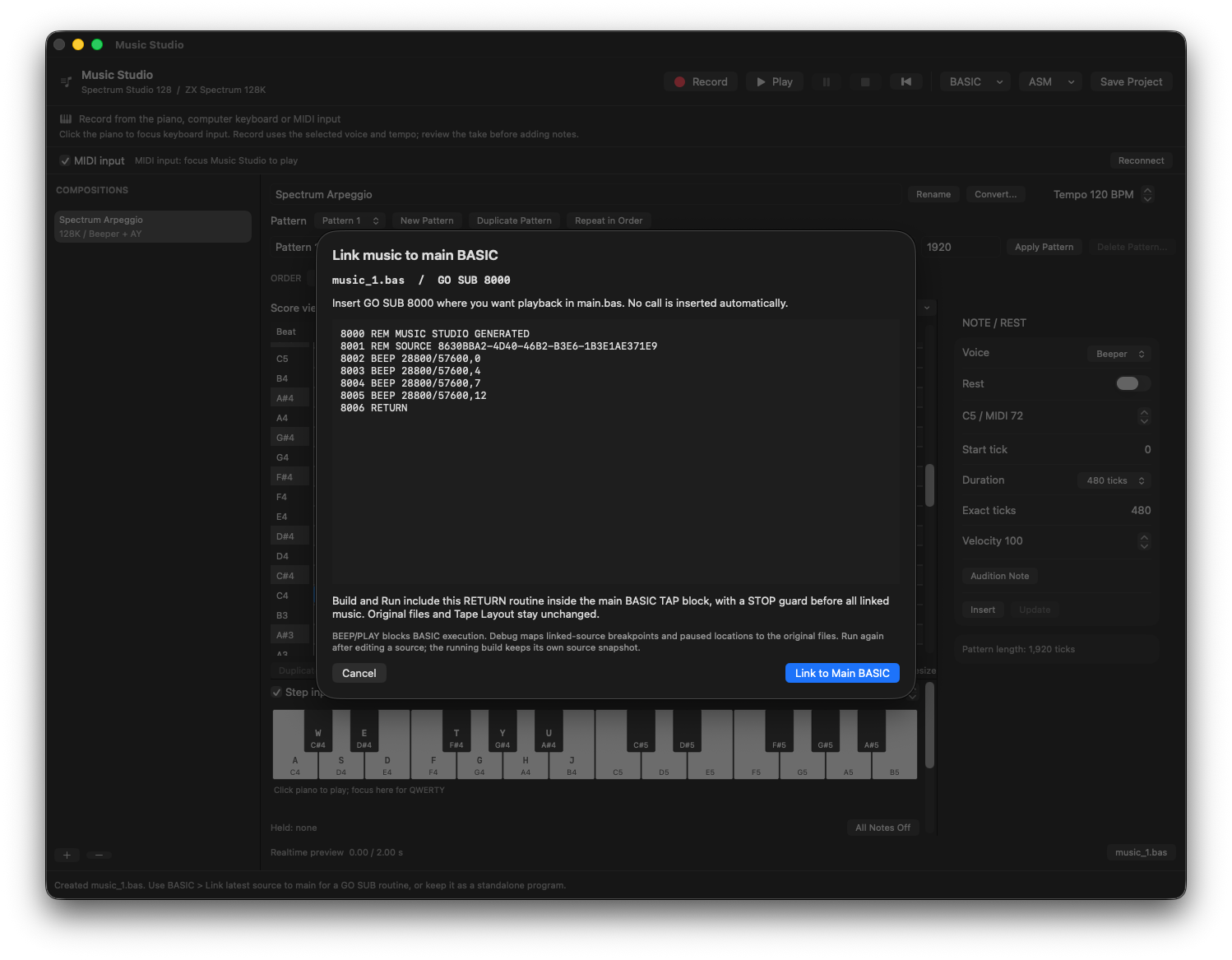
The generated phrase becomes a RETURN routine at GO SUB 8000. Linking does not insert a playback call into main.bas.
Create two project-backed phrases, preview them and generate code for the selected target.