STEP 01
Create the project
Choose New Project, ZX Spectrum 48K and BASIC Application. Save FirstProgram.zxproj in a writable folder.
STEP 02
Enter a complete listing
Replace main.bas with this small, observable program.
10 BORDER 1
20 PAPER 0
30 INK 7
40 CLS
50 PRINT "DZX STUDIO"
60 PRINT "PRESS ANY KEY"
70 PAUSE 0
80 PRINT "READY"
90 STOP
STEP 03
Check before building
Problems must show no red errors. Warnings should be read, but the source can always be saved.
STEP 04
Build and run
Choose Build Project, then Run. The integrated 48K runtime should reach PRESS ANY KEY; press a Spectrum key and confirm READY appears.
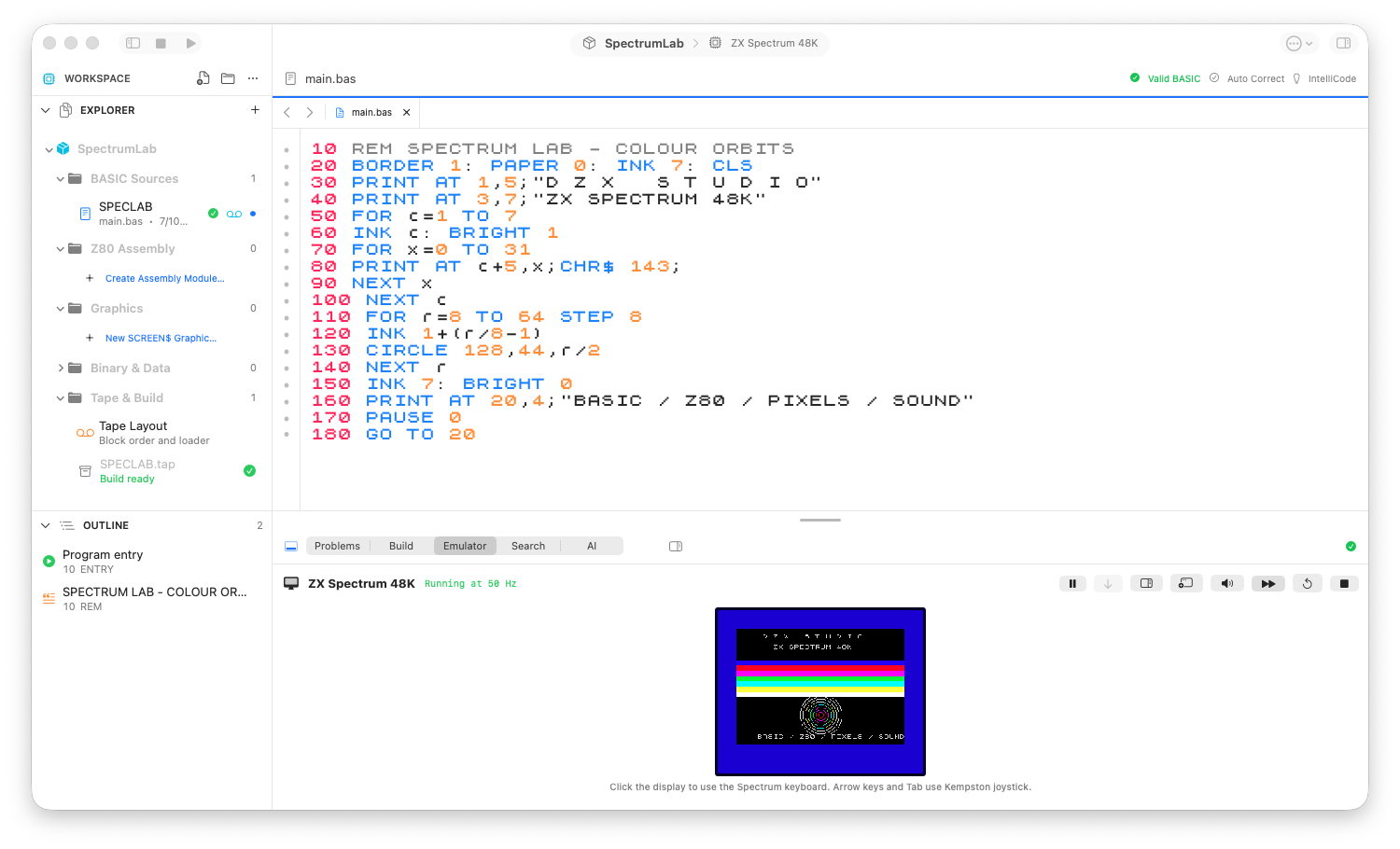
The 48K workbench: project navigator, syntax-aware source and the running program.
Expected result
Create a portable 48K project, build a TAP and run it inside DZX STUDIO.