Select the right context
Place the cursor on the relevant line or select a complete block, then press Command-K.
Ask for one change
State an observable result and the target machine. DZX STUDIO includes the full current program as context.
Review the proposal
Inspect added and removed lines. Deselect any hunk you do not want.
Apply or reject
Only locally valid BASIC or Z80 can be applied. Accept creates one Undo transaction; Reject changes nothing.
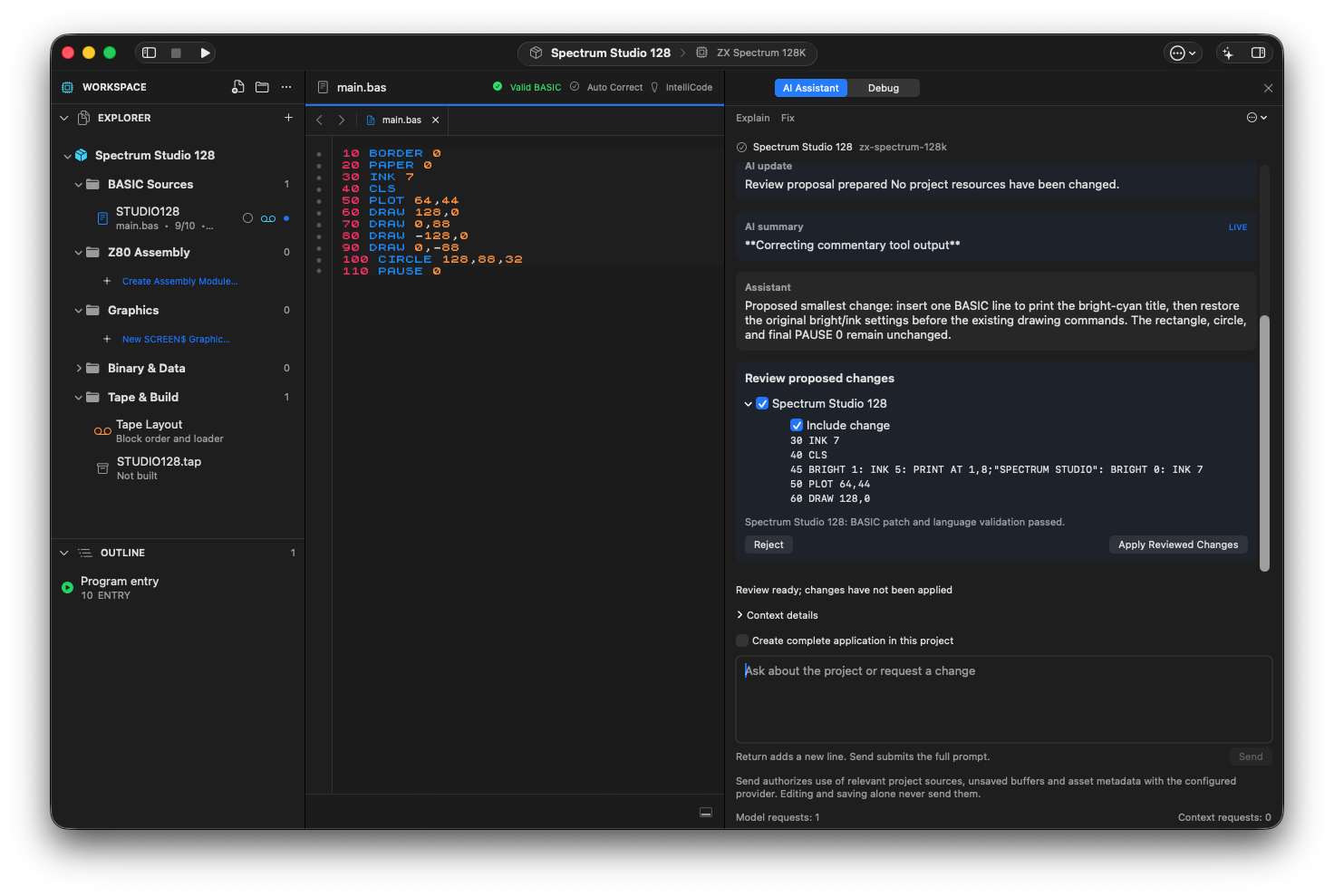
The project assistant proposes one BASIC line for a bright-cyan title. Local validation has passed; Apply Reviewed Changes is still a separate action.
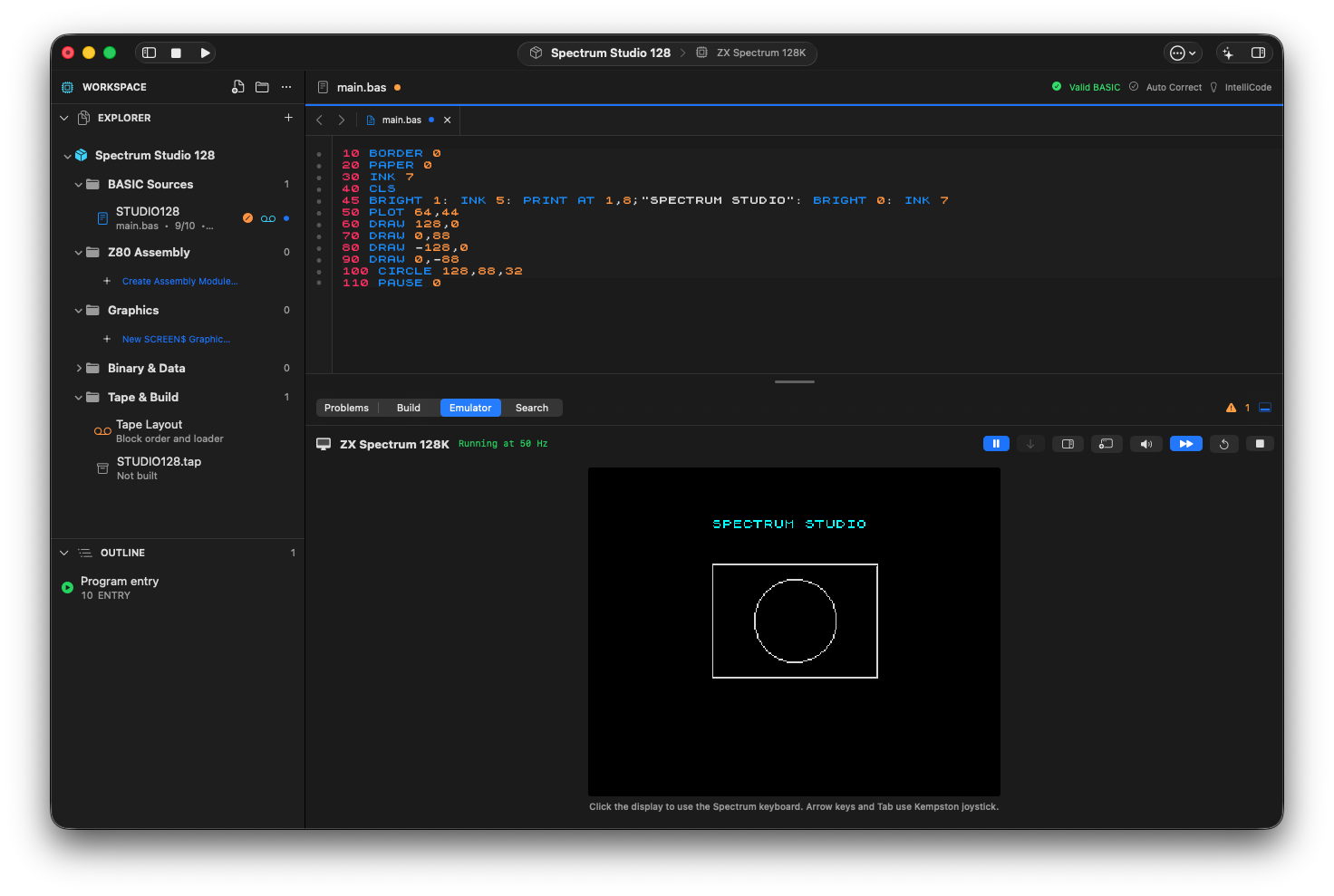
The approved title change running on the 128K target, with the original rectangle and circle preserved.
For complete examples across code, graphics, sound and debugging, continue with the AI Field Guide →.
Request a change, inspect its exact hunks and apply it as one reversible editor operation.